Introduction
FerroSMART is a SMART App Launch 2.2 authorization server. A health app sends a person to FerroSMART to ask for access to a FHIR or openEHR server. FerroSMART sends them on to the identity provider your organisation already runs to log in, shows them what the app asks for, and gives the app an access token the server checks. The person’s password never reaches FerroSMART.
This book is for two readers:
- The operator, who runs FerroSMART: the quickstart, the image, the identity provider upstream, the configuration, the keys, the audit records and day-to-day operations.
- The integrator, who writes an app, an EHR or a resource server: the flows, the EHR launch API and a server behind FerroSMART.
The newest release is v0.3.0. Every page describes what
the code on main does, and the release notes list each
change. The design of record,
with the specification section behind every decision, is
docs/architecture.md
§13 in the repository.
FerroSMART is one of the FerroHEALTH products. The pages that hold for every product (the manufacturer, the security policy, the Cyber Resilience Act and the EHDS) are in the family book.
What FerroSMART is
FerroSMART is the authorization server of the SMART App Launch 2.2 specification, with OAuth 2.0 and OpenID Connect underneath. It issues the tokens that let a health app reach a FHIR or openEHR server, and nothing else.
Why it exists
SMART needs more from an authorization server than login. An app asks for
launch and launch/patient, chooses its scopes per request, expects the
patient and encounter in the token response, and may authenticate with a
signed assertion instead of a secret. The identity providers hospitals run
do not do this: ZITADEL drops the SMART scopes and launch and puts no
scope in its access tokens, and Keycloak, as it is commonly configured,
gives each client a fixed scope set and has no launch context.
FerroSMART fills that gap and leaves login where it is. The person logs in at your identity provider, and FerroSMART issues the SMART tokens.
What it does
- The SMART flows. The standalone launch and the EHR launch through the
authorization code flow with PKCE
S256, Backend Services through the client credentials grant, refresh tokens, token introspection (RFC 7662) and revocation (RFC 7009). The flows page walks through each. - Consent and the patient picker. The person approves the scopes an app asks for, narrows them or refuses, and can remember the choice. In a standalone launch the person picks the patient on a page FerroSMART draws, searching the FHIR or openEHR server as themselves.
- The EHR launch API. An EHR hands FerroSMART the launch context, or signs it, before it opens the app (the EHR launch API).
- Signed tokens. Access tokens are RFC 9068 JWTs whose
audis the one server they are for, and ID Tokens carryfhirUser. A resource server checks them offline against FerroSMART’s published keys, or asks the introspection endpoint. - Its own audit trail. Every login and every token request is a FHIR
AuditEvent, committed together with the token (audit records).
What it is not
- Not an identity provider. FerroSMART keeps no password and draws no
login form. It is an OpenID Connect client of one provider you name, and
reads only the claims you map: the person, their roles and their
fhirUser. Keycloak, ZITADEL, Microsoft Entra ID and Okta each have a tested setup (identity providers). - Not a clinical data store. FerroSMART holds clients, grants, codes, token records, consents and its audit records in PostgreSQL. It reads patient data only in the picker, as the signed-in person, and keeps none of it.
- Not a policy engine for the data. The token says what the person approved and what their roles allow. The FHIR or openEHR server still applies its own rules on top of the scopes.
- Not tied to FerroHEALTH. Every interface is a published standard with no claim or parameter of FerroSMART’s own, so any FHIR server that reads SMART tokens can sit behind it, and any OpenID Connect provider in front.
Where it fits in the family
FerroHEALTH is a family of servers that reach each other only over
published protocols: FerroEHR keeps the openEHR record, FerroBRIDGE carries
it to FHIR and OMOP, FerroFED federates it, FerroPIX says who the patient
is, and FerroTERM serves the code systems. Each of them is a SMART resource
server through ferrohealth-smart, a crate the FerroSMART repository
publishes, and trusts FerroSMART as an issuer in one configuration table
(a server behind FerroSMART).
The repository also publishes ferrohealth-authz, the policy decision,
and ferrohealth-session, the operator consoles’ sign-in. They are libraries
for the products and never issue a token; their documentation is on
docs.rs.
Capabilities and conformance
FerroSMART implements
SMART App Launch 2.2.0 on
OAuth 2.0 and OpenID Connect, and is held to it by the
Inferno SMART App Launch test kit
in CI. The specifications are vendored in the repository under
docs/specs/
at the versions
docs/VERSIONS.md
pins.
The discovery documents
FerroSMART serves three documents under its issuer, each with absolute endpoint URLs:
| Document | Path | Specification |
|---|---|---|
| Authorization server metadata | /.well-known/oauth-authorization-server, inserted between the host and the issuer’s path | RFC 8414 §3 |
| OpenID Connect discovery | {issuer}/.well-known/openid-configuration | OpenID Connect Discovery 1.0 §4 |
| SMART configuration | {issuer}/.well-known/smart-configuration | SMART App Launch 2.2.0, Conformance |
Which document it serves depends on whether people log in. With an identity provider configured, the SMART document is the App Launch document. Without one, FerroSMART answers Backend Services alone and the document says so.
The capabilities it advertises
The SMART App Launch 2.2.0 Conformance page lists capabilities a server supports. FerroSMART’s App Launch document lists these:
| Capability | What it means here |
|---|---|
launch-standalone | The authorization endpoint takes an app that starts on its own |
launch-ehr | An app launched by an EHR with a launch value (EHR launch API) |
authorize-post | The authorization endpoint takes the request by GET and by POST |
client-public | A public client authenticates with PKCE alone |
client-confidential-symmetric | A confidential client authenticates with its secret, client_secret_basic or client_secret_post |
client-confidential-asymmetric | A confidential client authenticates with a private_key_jwt assertion signed RS384 or ES384 |
sso-openid-connect | openid and fhirUser give the app an ID Token signed RS256 with the person’s fhirUser |
context-ehr-patient, context-ehr-encounter | The patient and encounter of an EHR launch reach the token response |
context-standalone-patient | The patient picker chooses the patient of a standalone launch, when a resource server can be searched |
context-standalone-encounter | The picker chooses one of that patient’s encounters, at a FHIR server |
context-banner | need_patient_banner reaches the token response |
context-style | The token response carries smart_style_url, when one is configured |
permission-offline, permission-online | Refresh tokens under offline_access and online_access |
permission-patient, permission-user | patient/ and user/ scopes |
permission-v1 | SMART v1 scopes (.read, .write, .*), matched by their v2 form and granted as asked |
permission-v2 | SMART v2 scopes (.cruds) |
The Backend Services document lists client-confidential-asymmetric.
Both documents advertise code_challenge_methods_supported: ["S256"] and
never plain, token_endpoint_auth_signing_alg_values_supported: ["RS384", "ES384"], the introspection and revocation endpoints, and, with
login, management_endpoint, where a person sees the apps they allowed
and every app holding live access to their data, and disconnects any of
them.
The endpoints
| Method and path | What it is | Ground |
|---|---|---|
GET {issuer}/jwks | The public keys that sign tokens, as bare JWKs | RFC 7517 §5 |
GET, POST {issuer}/authorize | The authorization endpoint | SMART App Launch 2.2.0; RFC 6749 §3.1 |
GET {issuer}/callback | The identity provider’s redirect back | OpenID Connect Core 1.0 §3.1.2.5 |
GET, POST {issuer}/picker | The patient picker | our own design |
GET, POST {issuer}/consent | The consent page | our own design |
GET, POST {issuer}/manage | The person’s remembered consents and every app holding live access, organisation-approved apps included, each with Disconnect | SMART App Launch 2.2.0, management_endpoint |
POST {issuer}/token | The token endpoint | RFC 6749 §3.2 |
POST {issuer}/introspect | Token introspection | RFC 7662 §2 |
POST {issuer}/revoke | Token revocation | RFC 7009 §2 |
POST {issuer}/launch | The EHR launch API | our own design |
POST {issuer}/backchannel-logout | The identity provider’s logout notice | OpenID Connect Back-Channel Logout 1.0 |
GET {issuer}/frontchannel-logout | The identity provider’s logout notice, in its iframe | OpenID Connect Front-Channel Logout 1.0 |
GET, POST {issuer}/logout | The end-session endpoint, with its confirmation at {issuer}/logout/confirm and the provider’s return at {issuer}/logout/return | OpenID Connect RP-Initiated Logout 1.0 |
GET {issuer}/audit | FerroSMART’s own audit records | our own design |
GET {issuer}/upstream-jwks | The keys FerroSMART signs its own client assertions to the identity provider with | our own design |
GET {issuer}/health, /health/liveness, /health/readiness, /health/info | Health | the FerroHEALTH family |
OpenID Connect parameters
FerroSMART is an OpenID Provider toward its apps and takes the parameters
OpenID Connect Core 1.0 §15.1 has every provider support, beside SMART’s
PKCE and aud, which stay required. FerroSMART keeps no session of its
own, so every request logs the person in at the identity provider, and
the parameters about that login go there:
| Parameter | What FerroSMART does |
|---|---|
prompt=none | Answers login_required to the app at once, with no page |
prompt=login, prompt=select_account | Passed to the identity provider’s login |
prompt=consent | Shows the consent page even when a remembered consent or an approval would answer |
max_age | Passed to the identity provider; a login older than it is begun again once with prompt=login, and one still older answers login_required |
ui_locales | Passed to the identity provider, and chooses the pages’ language before the browser’s |
display, claims_locales, acr_values | Taken without changing the flow |
Every ID Token is signed RS256 and carries auth_time, the time the
person authenticated at the identity provider. FerroSMART has no UserInfo
endpoint: the ID Token and its fhirUser claim identify the person.
What SMART leaves open, and how FerroSMART decides
Where the specifications are silent, FerroSMART makes one fixed decision and the architecture records it as its own design:
- The launch context in the access token. SMART puts
patient,encounterandfhirUserin the token response. FerroSMART writes them, andehrIdfor an openEHR server, into the access token as well, so a resource server that reads the JWT has them (RFC 9068 §2.2.2). - Scopes. The granted scope is what the request asks for, narrowed to the client’s registered ceiling, the scopes the person’s roles allow and what the person approves (clients, roles and consent).
- Consent where it protects the person. A user flow shows the consent
page unless the person remembered that choice for that client and
resource server, or an administrator approved the client and the
request stays within that approval: for the organisation’s
professionals (with
patient/scopes only in an EHR launch), and for the organisation’s own app (first_party) its patients too, lasting access included (OpenID Connect Core 1.0 §3.1.2.4, “previous administrative consent”). An app of another party always shows a patient the page (SMART App Launch 2.2.0, Best Practices). A public client without a claimedhttpsredirect, and an app’sprompt=consent, always show the page (RFC 8252 §8.6; OpenID Connect Core 1.0 §3.1.2.1). Every app holding live access can be disconnected on the management page. The consent rules lists every case. online_access. An online refresh token ends when the person’s login at the identity provider ends, signalled by back-channel or front-channel logout, when the person logs out at the end-session endpoint, or afteronline_idleunused.- The person’s
sub. A pairwise identifier derived from the identity provider’s issuer andsub, so the provider’s identifier never reaches a resource server. - Refresh rotation for every client. Each refresh rotates the token, and a rotated token presented again revokes the whole grant, unless its own client repeats it within 10 seconds while the new token is unused: a retry or a race then gets the same new token.
- Introspection. A confidential client authenticated as at the token
endpoint (its assertion or its secret), or a bearer token FerroSMART
issued, each holding the scope
system/introspect(RFC 7662 §2.1).
The test kit in CI
The CI lane runs the four groups of the kit’s STU 2.2 server suite
(smart_stu2_2): the standalone launch, the EHR launch, Backend Services
and token introspection. FerroSMART runs with Keycloak upstream and
FerroBRIDGE’s FHIR R4 facade as the FHIR server, all over TLS, and every
test of the suite passes. The lane fails when a result changes, and the
list of tests it may expect anything other than a pass is empty.
The OpenID Foundation conformance suite in CI
A second CI lane runs four plans of the OpenID Foundation conformance
suite against FerroSMART. Each module is held to the result recorded in
app/ferrosmart/oidf/expected.tsv,
and an expected failure names its issue.
| Plan | FerroSMART’s role | Its client authentication at the suite |
|---|---|---|
oidcc-client-test-plan | Relying party, logging in at the suite | private_key_jwt, and client_secret_basic for the module oidcc-client-test-client-secret-basic |
oidcc-client-basic-certification-test-plan | Relying party | client_secret_basic, with the secret read from a file |
oidcc-config-certification-test-plan | OpenID Provider | Not applicable: the suite reads the discovery document |
oidcc-basic-certification-test-plan | OpenID Provider | Not applicable: the suite is a confidential client of FerroSMART |
As the relying party, FerroSMART runs from one configuration that names no client authentication, and the lane adds the method each module fixes, as an administrator sets it for a provider (see Identity providers).
Licensing
FerroSMART is licensed under the
Business Source License 1.1,
with Cadasto B.V. as the Licensor. The repository’s LICENSE file holds
the parameters; this page says what they mean for you.
- Free: reading, building, changing and redistributing the code, every use outside production, and production use that is not commercial.
- A commercial licence: any other production use, and always a hosted, managed or embedded service and a distribution for a fee. Write to info@cadasto.com or use cadasto.com/contact.
- Apache License 2.0 applies to each version four years after it is published, its Change Date.
The crates the repository publishes, ferrohealth-smart,
ferrohealth-authz and ferrohealth-session, are under the same licence.
The vendored specifications under docs/specs/ keep their own terms, which
the PROVENANCE.md beside each records.
The family book’s licensing page covers the terms every FerroHEALTH product shares, contributions included.
Quickstart
The quickstart is one file, compose.yaml, which runs the FerroSMART image
beside PostgreSQL. It needs Docker with Compose and no checkout of the
repository. It pulls ghcr.io/ferrohealth/ferrosmart at the release the
file shipped with, v0.3.0 (the image).
Run it
Download compose.yaml from the repository or from a release, and create
the three secret files beside it. FerroSMART runs as uid 65532, so the two
files it reads must be readable by that user:
mkdir -p secrets
openssl rand -hex 24 > secrets/postgres_password
printf 'postgresql://ferrosmart:%s@postgres:5432/ferrosmart?sslmode=disable' \
  "$(cat secrets/postgres_password)" > secrets/database_url
openssl genpkey -algorithm RSA -pkeyopt rsa_keygen_bits:3072 -out secrets/signing_key.pem
chmod 0644 secrets/database_url secrets/signing_key.pem
docker compose up
FerroSMART migrates its database at start. Read its SMART configuration:
curl http://localhost:8080/.well-known/smart-configuration
With no identity provider configured, this is the Backend Services document: FerroSMART issues tokens to registered systems and nobody logs in.
What the file sets
The environment of the ferrosmart service sets the issuer, the signing
key, the database URL and one FHIR server. Two variables change the
defaults, in your shell or a .env file beside compose.yaml:
| Variable | Default | What it is |
|---|---|---|
FERROSMART_ISSUER | http://localhost:8080 | The URL clients and resource servers reach FerroSMART by: https, or http on a loopback host |
FERROSMART_RESOURCE | http://localhost:8090/fhir | The base URL of the FHIR server the tokens are for, their aud |
Everything else goes in a configuration file in the config directory,
which FERROSMART_CONFIG names. A Backend Services client with its JWK Set
URL:
mkdir -p config
cat > config/ferrosmart.toml <<'TOML'
[[ferrosmart.client]]
client_id = "bulk-export"
name = "Bulk export"
kind = "confidential_asymmetric"
resources = ["http://localhost:8090/fhir"]
jwks_uri = "https://export.example.org/jwks.json"
scopes = ["system/Patient.rs", "system/Observation.rs"]
grant_types = ["client_credentials"]
TOML
FERROSMART_CONFIG=/etc/ferrosmart/ferrosmart.toml docker compose up
The environment wins over the file. docker compose run --rm ferrosmart config check prints the configuration as FerroSMART reads it, every secret
masked. Configuration lists every key.
Add a login
To have people log in, run an identity provider upstream. The repository carries two overlays of this file that do it on your machine:
docker compose -f compose.yaml -f compose.keycloak.yaml up
docker compose -f compose.yaml -f compose.zitadel.yaml up
Each needs a few more secret files, listed at the top of the overlay, and a checkout of the repository for its realm file or bootstrap script. Identity providers describes both, and Entra ID and Okta.
The hardening the file applies
- The port binds loopback. A published port on
0.0.0.0is reachable from the network even when the host firewall says otherwise, so the file binds127.0.0.1. To serve other machines, put a reverse proxy that terminates TLS in front and setFERROSMART_ISSUERto itshttpsURL. - A read-only root. Every piece of state is in PostgreSQL and every secret is read once at start, so the container’s filesystem is read-only.
- No capabilities. FerroSMART drops every Linux capability and cannot
gain new privileges. PostgreSQL keeps the five its entrypoint needs to
hand its data directory to the
postgresuser, and publishes no port. - Secrets as files. The database password, the database URL and the signing key are Compose secrets, never environment values.
The whole file
# SPDX-FileCopyrightText: Cadasto B.V.
# SPDX-License-Identifier: BUSL-1.1
#
# The FerroSMART quickstart, a standalone file: download it, create the
# secret files beside it, and run
#
#   docker compose up
#   curl http://localhost:8080/.well-known/smart-configuration
#
# It pulls the published image (ghcr.io/ferrohealth/ferrosmart, pinned to the
# release this file shipped with) beside PostgreSQL, and needs no repository
# checkout. The release plan refuses a tag whose version differs from the
# default below (scripts/release/plan.sh, check_compose_pin).
#
# SECRETS. Three files under ./secrets are yours to create before the first
# `docker compose up`; compose refuses to start a service whose secret is
# missing. Compose mounts each file as it is on the host, and FerroSMART runs
# as uid 65532, so make the two it reads readable to that user. Never commit
# them.
#
#   mkdir -p secrets
#   openssl rand -hex 24 > secrets/postgres_password
#   printf 'postgresql://ferrosmart:%s@postgres:5432/ferrosmart?sslmode=disable' \
#     "$(cat secrets/postgres_password)" > secrets/database_url
#   openssl genpkey -algorithm RSA -pkeyopt rsa_keygen_bits:3072 -out secrets/signing_key.pem
#   chmod 0644 secrets/database_url secrets/signing_key.pem
#
# The signing key signs every access token under RS256 and is published,
# public half only, at the `jwks_uri` of the SMART configuration. Rotation
# adds a next and a previous key ([ferrosmart.keys], in the configuration
# file below).
#
# CONFIGURATION. The environment below sets what the quickstart needs, and
# every key of the configuration tree is reachable the same way, as
# FERROSMART__<SECTION>__<KEY>, with an index naming an element of an array
# of tables. Set these in your shell or in a .env file beside this one:
#
#   FERROSMART_ISSUER     the URL clients and resource servers reach
#                         FerroSMART by: https, or http on localhost
#                         (default http://localhost:8080)
#   FERROSMART_RESOURCE   the base URL of the FHIR server the tokens are for,
#                         their `aud` (default http://localhost:8090/fhir)
#
# Clients, more resource servers and the rest of the policy go in a
# configuration file in the ./config directory beside this one, which
# FERROSMART_CONFIG names. A Backend Services client with its JWK Set URL:
#
#   mkdir -p config
#   cat > config/ferrosmart.toml <<'TOML'
#   [[ferrosmart.client]]
#   client_id = "bulk-export"
#   name = "Bulk export"
#   kind = "confidential_asymmetric"
#   jwks_uri = "https://export.example.org/jwks.json"
#   resources = ["http://localhost:8090/fhir"]
#   scopes = ["system/Patient.rs", "system/Observation.rs"]
#   grant_types = ["client_credentials"]
#   TOML
#   FERROSMART_CONFIG=/etc/ferrosmart/ferrosmart.toml
#
# The environment wins over the file. `docker compose run --rm ferrosmart
# config check` prints the resolved configuration with every secret masked.
#
# PORTS. The published port binds the loopback interface by default. A
# published port is DNAT'd ahead of the host firewall's own chains, so a port
# on 0.0.0.0 is reachable from the network even when the firewall says
# otherwise (https://docs.docker.com/engine/network/packet-filtering-firewalls/).
# To serve another machine, put a reverse proxy that terminates TLS in front
# and set FERROSMART_ISSUER to its https URL.
#
# HEALTH. The image's HEALTHCHECK runs `ferrosmart healthcheck`, which asks the
# server for GET /health/readiness on loopback and exits 0 only on 200, so
# `docker compose ps` shows FerroSMART healthy once it serves and its database
# answers.

# Without this the project is named after the directory the file sits in.
name: ferrosmart

services:
  ferrosmart:
    image: ghcr.io/ferrohealth/ferrosmart:${FERROSMART_VERSION:-0.3.0}
    container_name: ferrosmart
    restart: unless-stopped
    depends_on:
      postgres:
        condition: service_healthy
    ports:
      - "${FERROSMART_BIND_HOST:-127.0.0.1}:${FERROSMART_PORT:-8080}:8080"
    environment:
      # A key with no value passes the variable through only when your shell
      # or .env sets it, so no file is read until you write one.
      FERROSMART_CONFIG:
      FERROSMART__FERROSMART__ISSUER: ${FERROSMART_ISSUER:-http://localhost:8080}
      FERROSMART__FERROSMART__KEYS__PRIVATE_KEY_FILE: /run/secrets/signing_key
      FERROSMART__FERROSMART__DATABASE__URL_FILE: /run/secrets/database_url
      FERROSMART__FERROSMART__RESOURCE__0__BASE: ${FERROSMART_RESOURCE:-http://localhost:8090/fhir}
      FERROSMART__FERROSMART__RESOURCE__0__KIND: fhir
      # `auto` renders pretty output on a terminal and JSON otherwise.
      FERROSMART__TELEMETRY__FORMAT: ${FERROSMART_LOG_FORMAT:-auto}
      FERROSMART__TELEMETRY__FILTER: ${FERROSMART_LOG_FILTER:-info}
    secrets:
      - database_url
      - signing_key
    # Every piece of state lives in PostgreSQL and every secret is read once
    # at boot, so the root filesystem is read-only and nothing is mounted
    # writable.
    read_only: true
    volumes:
      - type: bind
        source: ${FERROSMART_CONFIG_DIR:-./config}
        target: /etc/ferrosmart
        read_only: true
        bind:
          create_host_path: true
    cap_drop:
      - ALL
    security_opt:
      - no-new-privileges:true

  # The store of every client, token record and assertion id. FerroSMART
  # migrates it at start. The password never reaches the environment: the
  # official image reads POSTGRES_PASSWORD_FILE.
  postgres:
    image: postgres:19.0@sha256:bb6e70add742cd868fb62cb3b2f67d1dd2bdd2b65a521e778420748753687c60
    container_name: ferrosmart-postgres
    restart: unless-stopped
    environment:
      POSTGRES_DB: ferrosmart
      POSTGRES_USER: ferrosmart
      POSTGRES_PASSWORD_FILE: /run/secrets/postgres_password
    secrets:
      - postgres_password
    volumes:
      - postgres-data:/var/lib/postgresql
    healthcheck:
      test: ["CMD", "pg_isready", "-U", "ferrosmart", "-d", "ferrosmart"]
      interval: 5s
      timeout: 5s
      retries: 12
    # The entrypoint starts as root to own the data directory, then drops to
    # the postgres user, so it keeps the capabilities that hand-over needs.
    cap_drop:
      - ALL
    cap_add:
      - CHOWN
      - DAC_OVERRIDE
      - FOWNER
      - SETGID
      - SETUID
    security_opt:
      - no-new-privileges:true
    # No published port: only FerroSMART reaches the database.

secrets:
  postgres_password:
    file: ./secrets/postgres_password
  database_url:
    file: ./secrets/database_url
  signing_key:
    file: ./secrets/signing_key.pem

volumes:
  postgres-data:
The image
FerroSMART ships as ghcr.io/ferrohealth/ferrosmart, for linux/amd64 and
linux/arm64, from v0.1.0 on. The image is one static
binary on gcr.io/distroless/static-debian13:nonroot: no shell, no package
manager, and the user 65532.
| Property | Value |
|---|---|
| Entrypoint | /usr/local/bin/ferrosmart |
| Default command | serve |
| Listener | 0.0.0.0:8080 (FERROSMART__SERVER__LISTEN), plain HTTP |
| User | 65532:65532 |
| Health check | ferrosmart healthcheck every 30 seconds, 60 seconds to start |
The listener speaks plain HTTP for a reverse proxy that terminates TLS, or
TLS itself with [server.tls]. The issuer is always the https URL people
and servers reach FerroSMART by.
Releases and tags
The release lane tags each image after it is scanned: <version>, and for a
release that is no pre-release <major>.<minor> and latest. Pin the
version or, better, the digest the release notes name. Beside the image,
each release attaches a tarball per target (x86_64 and aarch64, each
for GNU and musl libc), with its checksum, a CycloneDX source SBOM and an
SPDX build SBOM, and compose.yaml.
Verify before you run
Every artefact carries SLSA provenance signed through Sigstore by the lane that built it. Check the image and a tarball with the GitHub CLI:
gh attestation verify oci://ghcr.io/ferrohealth/ferrosmart:X.Y.Z \
  --repo FerroHEALTH/FerroSMART \
  --signer-workflow FerroHEALTH/FerroSMART/.github/workflows/release-ferrosmart-image.yml
gh attestation verify ferrosmart-X.Y.Z-x86_64-unknown-linux-musl.tar.gz \
  --repo FerroHEALTH/FerroSMART \
  --signer-workflow FerroHEALTH/FerroSMART/.github/workflows/release-ferrosmart-build.yml
Build it from a checkout
To run a change of your own, build the static
binary and stage it where docker/ferrosmart/Dockerfile copies it from,
dist/<os>_<arch>/ferrosmart. On an x86_64 Linux host with musl-tools:
cargo build --locked --release -p ferrosmart --target x86_64-unknown-linux-musl
mkdir -p dist/linux_amd64
install -m 0755 target/x86_64-unknown-linux-musl/release/ferrosmart dist/linux_amd64/ferrosmart
docker build -f docker/ferrosmart/Dockerfile -t ghcr.io/ferrohealth/ferrosmart:0.3.0 .
The Dockerfile compiles nothing, and the tag lets compose.yaml use the
image you built. CI builds and runs the image the same way, with the
Keycloak overlay, on every change that reaches it.
Identity providers
A person logs in at an identity provider upstream of FerroSMART: an
OpenID Connect provider, of which FerroSMART is a client, or a SAML 2.0
identity provider, of which FerroSMART is a service provider. Any OpenID
Connect provider that publishes a discovery document works, and any SAML
2.0 provider of the Web Browser SSO profile; no code in FerroSMART knows a
vendor or a country. Four OpenID Connect providers have a tested setup,
and each section below says what to configure at the provider and in
[[ferrosmart.upstream]]. SAML 2.0 closes the page.
What every provider needs
At the provider, register FerroSMART as a confidential web client:
- the authorization code flow, with PKCE
S256(FerroSMART sends a challenge on every request); - one redirect URI, FerroSMART’s
{issuer}/callback, matched exactly; - an ID Token claim with the person’s
fhirUser, such asPractitioner/123or an absolute URL, when apps ask forfhirUser; - an ID Token claim with the person’s roles, which
[[ferrosmart.role]]maps to scopes; - optionally FerroSMART’s
{issuer}/backchannel-logoutas the back-channel logout URI, or, at a provider that offers only front-channel logout such as Microsoft Entra ID,{issuer}/frontchannel-logoutas the front-channel logout URI withfrontchannel_logout_session_required(the provider sendsissandsid), so a logout at the provider ends the person’sonline_accessgrants; - optionally FerroSMART’s
{issuer}/logout/returnas a post-logout redirect URI, so a logout an app starts at FerroSMART’s end-session endpoint also logs the person out at the provider and comes back.
ferrosmart upstream registration <name> prints this list for the entry
<name>, with FerroSMART’s URIs, the client authentication, the scopes,
the claims and the roles filled in from the configuration:
$ ferrosmart --config ferrosmart.toml upstream registration keycloak
Register FerroSMART at the provider `keycloak` (OpenID Connect) with:
  issuer                    http://localhost:8180/realms/ferrosmart
  client id                 ferrosmart
  client type               confidential web client
  grant                     authorization code, PKCE S256
  redirect URI              http://localhost:8080/callback
  post-logout redirect URI  http://localhost:8080/logout/return
  back-channel logout URI   http://localhost:8080/backchannel-logout
  front-channel logout URI  http://localhost:8080/frontchannel-logout, with iss and sid, where the provider has no back-channel logout
  client authentication     private_key_jwt, signed RS256
  JWK Set URL               http://localhost:8080/upstream-jwks
  scopes                    openid
  fhirUser claim            fhir_user, in the ID Token
  role claims               roles, in the ID Token
  roles                     clinician
An entry names the vendor it is set up for as preset, and the preset
brings that setup’s scopes, claims and assertion algorithm; each provider
below lists what its preset holds. A key set in the entry’s
[ferrosmart.upstream.oidc] table wins over the preset
(the keys).
FerroSMART authenticates to a provider with private_key_jwt (OpenID
Connect Core 1.0 §9) by default: a JWT signed by its assertion key,
configured under [ferrosmart.upstream.oidc.private_key_jwt.keys]. For a
provider that offers no private_key_jwt to a web client, name
[ferrosmart.upstream.oidc.client_secret_basic] with secret_file
instead: FerroSMART then sends the client secret as HTTP Basic (RFC 6749
§2.3.1). Each provider names exactly one of the two, and FerroSMART
refuses to start when the provider’s discovery document does not list the
method in token_endpoint_auth_methods_supported. Prefer the key: a
secret can leak from a configuration file. The assertion key is a key of its own,
never a token signing key, and FerroSMART publishes it at
{issuer}/upstream-jwks for a provider that reads a key set
(keys and rotation).
Each assertion names the provider’s issuer as its only audience (aud)
and has the type client-authentication+jwt, as RFC 10070 §4 requires.
Keycloak and ZITADEL accept this by their source code. Entra ID and Okta
document the token endpoint URL as aud; RFC 10070 §6 says a client that
follows the update works with them too. Verify it on your tenant before
production.
Every provider below is described in the same shape: login, client
authentication, fhirUser, roles, and how the setup is tested.
| Provider | Login | Client authentication | fhirUser | Roles | Tested by |
|---|---|---|---|---|---|
| Keycloak | the realm’s login form | Signed JWT, reading {issuer}/upstream-jwks | a user attribute mapper | a realm role mapper, roles | a live launch in CI, and the compose quickstart |
| ZITADEL | the Login v2 UI | Private Key JWT, with a key ZITADEL generates | an Actions v2 target, from user metadata | the project role claim | a live launch in CI |
| Microsoft Entra ID | the tenant’s sign-in | a certificate of the assertion key | a directory extension attribute | app roles, roles | a contract test against Entra ID’s documents |
| Okta | the org’s sign-in, default authorization server | Public key / Private key, the JWK of {issuer}/upstream-jwks | a custom claim | a groups claim, groups | a contract test against Okta’s documents |
FerroSMART checks the provider’s ID Token by OpenID Connect Core 1.0
§3.1.3.7, refuses one without the nonce it sent, and reads only the
claims you name. The person’s sub at FerroSMART is derived from the
provider’s issuer and sub, so the provider’s sub never reaches a
resource server. To bind a person at a resource server, take their
FerroSMART sub from ferrosmart subject --upstream <name> --sub <their sub at the provider>, or let them read it on the management page at
{issuer}/manage.
Keycloak
Keycloak runs upstream in a compose overlay of the quickstart. From a checkout, with the two extra secret files the overlay’s header lists:
docker compose -f compose.yaml -f compose.keycloak.yaml up
Sign in as clinician with the password in
secrets/keycloak_user_password. The realm is
app/ferrosmart/examples/keycloak/ferrosmart-realm.json, and FerroSMART’s
side is ferrosmart.toml beside it. The overlay runs Keycloak in
development mode and both servers on plain http on localhost; a
deployment serves both over TLS on their own names.
| At Keycloak | Value |
|---|---|
| Login | the client ferrosmart, the standard flow with PKCE S256, implicit and direct access grants off, redirect URI {issuer}/callback |
| Client authentication | confidential, client authenticator client-jwt with a JWKS URL: FerroSMART’s {issuer}/upstream-jwks, signed RS256 |
fhirUser | a user attribute mapper writes the attribute fhir_user into the ID Token |
| Roles | a realm role mapper, multivalued, writes roles into the ID Token; the realm role clinician |
| Tested by | a standalone launch in CI through Keycloak’s login form, and the compose quickstart lane |
The keycloak preset holds the scope openid, the claims fhir_user
and roles, and RS256.
[[ferrosmart.upstream]]
name = "idp"
preset = "keycloak"

[ferrosmart.upstream.oidc]
issuer = "https://keycloak.example.org/realms/ferrosmart"
client_id = "ferrosmart"

[ferrosmart.upstream.oidc.private_key_jwt.keys]
private_key_file = "/run/secrets/upstream_assertion_key"
ZITADEL
ZITADEL runs upstream in a compose overlay too, with its Login v2 UI and its own PostgreSQL. From a checkout, with the three extra secret files the overlay’s header lists:
docker compose -f compose.yaml -f compose.zitadel.yaml up
A bootstrap container runs app/ferrosmart/examples/zitadel/bootstrap.sh
once: it makes the project with its role, the application, the user and
the action that writes fhirUser, and writes FerroSMART’s configuration
with the client id ZITADEL generated. Log in at
http://localhost:3000/ui/v2/login.
| At ZITADEL | Value |
|---|---|
| Login | the OIDC web app ferrosmart-login, the code flow with PKCE S256, one redirect URI {issuer}/callback, roles and user info in the ID Token |
| Client authentication | Private Key JWT, with an application key ZITADEL generates; FerroSMART signs with it under ZITADEL’s key id |
fhirUser | an Actions v2 execution on preuserinfo that adds fhirUser from the user’s metadata |
| Roles | the project ferrosmart with role assertion on and the role clinician, in the claim urn:zitadel:iam:org:project:ferrosmart:roles, an object whose member names are the roles |
| Tested by | a standalone launch in CI through ZITADEL |
| Audience | ZITADEL adds the project to the ID Token’s aud, so FerroSMART trusts it |
The zitadel preset holds the scopes openid profile, the claim
fhirUser, the roles of the application’s own project in
urn:zitadel:iam:org:project:roles, and RS256. The example reads the
roles of the project ferrosmart by its id instead, which ZITADEL
recommends, and trusts that project as an audience:
[[ferrosmart.upstream]]
name = "idp"
preset = "zitadel"

[ferrosmart.upstream.oidc]
issuer = "https://zitadel.example.org"
client_id = "<the generated client id>"
role_claims = ["urn:zitadel:iam:org:project:ferrosmart:roles"]
trusted_audiences = ["ferrosmart"]

[ferrosmart.upstream.oidc.private_key_jwt.keys]
private_key_file = "/run/secrets/zitadel-application-key.pem"
kid = "<the key id ZITADEL gave the key>"
trusted_audiences names the audiences beside FerroSMART’s client id that
an ID Token may carry; an ID Token with several audiences must then name
the client in azp.
Microsoft Entra ID
Entra ID is a hosted service, so no example runs it; the contract tests run
FerroSMART’s side, app/ferrosmart/examples/entra/ferrosmart.toml, against
the discovery document, key set and token answer Entra ID publishes.
| At Entra ID | Value |
|---|---|
| Login | a single-tenant app registration, the authority https://login.microsoftonline.com/<tenant id>/v2.0 as the issuer, platform Web with the redirect URI {issuer}/callback, the code flow with PKCE S256 |
| Client authentication | a certificate of FerroSMART’s current assertion key, uploaded to the registration; each assertion names it by x5t#S256, signed PS256 |
fhirUser | a directory extension attribute fhirUser, set per user, as an ID Token optional claim, which Entra ID emits as extn.fhirUser |
| Roles | the app role clinician, assigned to people or to groups under Enterprise applications; the ID Token carries it in roles |
| Logout | the front-channel logout URL {issuer}/frontchannel-logout, and {issuer}/logout/return as a second redirect URI for the end-session endpoint’s return. FerroSMART ends a session only from a request with iss and sid: check that the tenant’s discovery document says frontchannel_logout_session_supported and that the ID Token carries sid |
| Tested by | a contract test that runs the example against Entra ID’s discovery document, key set and token answer |
FerroSMART reads roles from app roles alone, never from the groups
claim: a person in more groups than the token holds gets an overage
reference to Microsoft Graph in place of groups, which FerroSMART does
not follow, and app roles hold the same values in every tenant
(howto-add-app-roles-in-apps.md, App roles vs. groups). Assigning a group
to an app role gives every member that role in roles. Whether assigning a
group, rather than each person, needs a paid Microsoft Entra ID licence
(P1 or higher) is not stated in the Microsoft pages FerroSMART vendors, so
check your tenant’s licence before you plan on group assignment.
The entra preset holds the scopes openid profile, the claims
extn.fhirUser and roles, and PS256.
[[ferrosmart.upstream]]
name = "idp"
preset = "entra"

[ferrosmart.upstream.oidc]
issuer = "https://login.microsoftonline.com/<tenant id>/v2.0"
client_id = "<the application (client) id>"

[ferrosmart.upstream.oidc.private_key_jwt]
certificate_file = "/run/secrets/upstream-assertion.crt"

[ferrosmart.upstream.oidc.private_key_jwt.keys]
private_key_file = "/run/secrets/upstream-assertion.pem"
Three choices hold here. Roles come from app roles, never groups, because a
person in many groups gets an overage pointer instead of the groups. The
multitenant authorities /common and /organizations are refused, since
their metadata names an issuer other than the one it was read under: one
FerroSMART logs in the people of one tenant. To rotate, upload the next
key’s certificate before the ring makes it current.
Okta
Okta is a hosted service as well; the contract tests run
app/ferrosmart/examples/okta/ferrosmart.toml against the documents Okta
publishes.
| At Okta | Value |
|---|---|
| Login | a Web Application integration with the authorization code grant and PKCE S256, {issuer}/callback as the one sign-in redirect URI, at the custom authorization server default, issuer https://<your Okta domain>/oauth2/default |
| Client authentication | Public key / Private key: add the JWK FerroSMART publishes at {issuer}/upstream-jwks to the integration’s public keys; assertions are signed RS256 |
fhirUser | a custom claim fhir_user in the ID Token, always, reading the person’s fhirUser profile attribute |
| Roles | a groups claim groups in the ID Token, always, filtered to FerroSMART’s role groups; the group clinician, assigned to the app integration |
| Tested by | a contract test that runs the example against the documents Okta publishes |
The okta preset holds the scopes openid profile, the claims
fhir_user and groups, and RS256.
[[ferrosmart.upstream]]
name = "idp"
preset = "okta"

[ferrosmart.upstream.oidc]
issuer = "https://example.okta.com/oauth2/default"
client_id = "<the client id>"

[ferrosmart.upstream.oidc.private_key_jwt.keys]
private_key_file = "/run/secrets/upstream-assertion.pem"
Use the custom authorization server, since only that one takes a custom claim in the ID Token by Okta’s written procedure, and keep the groups filter narrow: a groups claim holds at most 100 groups. To rotate, add the next key’s JWK to the integration before the ring makes it current.
SAML 2.0
FerroSMART is a service provider of the OASIS SAML 2.0 Web Browser SSO
profile, with the standard bindings and no national profile. Configure
FerroSMART once as a service provider in [ferrosmart.saml], then one
entry with a [ferrosmart.upstream.saml] table per identity provider
(the keys).
At the identity provider, register FerroSMART by its metadata at
{issuer}/saml/metadata (ferrosmart upstream registration <name> prints
it with the entity IDs, the assertion consumer service and the attributes
the entry reads). It names:
- FerroSMART’s entity ID and its signing certificate: every
AuthnRequestis signed; - one encryption certificate per decryption key, for an encrypted assertion, identifier or attribute;
- the assertion consumer service
{issuer}/saml/acsunder HTTP-POST and HTTP-Artifact.
At the provider, release:
- a persistent name identifier, or an attribute with the person’s
identifier named by
subject_attribute; a transient name identifier is refused, since it names the person for one login only; - the attributes the
claimstable maps, such as the display name, the roles that[[ferrosmart.role]]maps to scopes, and the person’sfhirUseror an identifier afhirUserlookup searches by; - an authentication context class among
authn_contexts, which lists the classes at or above the minimum assurance you accept.
[ferrosmart.saml]
signing_key_file = "/run/secrets/saml-signing.pem"
signing_certificate_file = "/run/secrets/saml-signing.crt"

[[ferrosmart.saml.decryption]]
key_file = "/run/secrets/saml-decryption.pem"
certificate_file = "/run/secrets/saml-decryption.crt"

[[ferrosmart.upstream]]
name = "saml-idp"
label = "Your organisation's login"

[ferrosmart.upstream.saml]
entity_id = "https://idp.example.org/saml"
metadata_url = "https://idp.example.org/saml/metadata"
name_id_format = "urn:oasis:names:tc:SAML:2.0:nameid-format:persistent"
authn_contexts = ["urn:oasis:names:tc:SAML:2.0:ac:classes:PasswordProtectedTransport"]
fhir_user_claim = "fhir_user"
role_claims = ["roles"]

[ferrosmart.upstream.saml.claims]
name = "urn:oid:2.16.840.1.113730.3.1.241"
roles = "urn:oid:1.3.6.1.4.1.5923.1.1.1.7"
fhir_user = "fhirUser"
FerroSMART refuses a response that is not signed by a key of the
provider’s metadata, that answers no request it sent or another one, that
names another audience, or whose authentication context is not one you
accept, and it admits each assertion once. Each outcome is a login record
in the audit that names the check that failed. For
the HTTP-Artifact binding, set response_binding = "artifact" and give
FerroSMART a TLS client identity in [ferrosmart.saml.tls]: it resolves
the artifact at the provider’s artifact resolution service over mutual
TLS. Single Logout is not taken: a SAML login’s grants end with their own
lifetimes.
Configuration
FerroSMART reads one configuration tree, in this order, the later winning:
- the TOML file
--confignames, orFERROSMART_CONFIGdoes; - the environment, every key as
FERROSMART__<SECTION>__<KEY>, with an index for an element of an array of tables (FERROSMART__FERROSMART__RESOURCE__0__BASE); --set key=valuepairs on the command line.
Every table refuses a key it does not know, so a typing error fails the
start instead of being ignored. Every secret has a _file form that names a
file holding it, such as url_file beside url; use the file form, so a
secret stays out of the environment. ferrosmart config check prints the
tree as FerroSMART reads it, every secret masked, and exits non-zero naming
the first key it cannot run with.
A duration is written as "5min", "8h" or "30d".
[server]
The listener and the request stack every FerroHEALTH server shares.
| Key | Default | What it is |
|---|---|---|
listen | 127.0.0.1:8080 (the image sets 0.0.0.0:8080) | The address the listener binds |
base_path | empty | The path every route is served under; it must equal the issuer’s path |
request_timeout | 30s | How long one request may take before a 408 |
header_read_timeout | 30s | How long a client may take to send its request head |
idle_timeout | 2min | How long an idle connection is kept |
body_limit | 1 MiB | The largest request body read before a 413 |
drain_delay | 0s | How long readiness stays withdrawn before the listener closes |
shutdown_timeout | 10s | How long requests in flight may take once the listener closed |
max_concurrent_requests | 256 | Requests served at once before a 503 with Retry-After |
trusted_proxies | none | The reverse proxies whose forwarded client address is believed |
caller_rate | none | A request rate per caller, refused past it |
compression | true | Whether responses are compressed for a client that accepts it |
[server.tls] | none | TLS on the listener: certificate_file, key_file, min_version, and client certificates; unset, the listener speaks plain HTTP behind a proxy that terminates TLS |
The table is the ferrohealth-server crate’s, documented on
docs.rs.
[telemetry]
The console log. format is auto (readable on a terminal, JSON
otherwise), pretty or json; filter is a RUST_LOG filter such as
info, and RUST_LOG sets it too. No line carries a token, a code, a
secret or an assertion.
[ferrosmart]
| Key | Default | What it is |
|---|---|---|
issuer | required | The issuer identifier (RFC 8414 §2): an https URL with no query or fragment, or http on a loopback host. Its path is [server] base_path. Every document repeats it exactly |
access_token_lifetime | 5min | How long an access token lives, for every grant; at most one hour (SMART App Launch 2.2.0, App Launch) |
refresh_idle | 30d | How long an offline_access refresh token lasts unused; each refresh starts it again |
online_idle | 8h | How long an online_access refresh token lasts unused, and never past the person’s login at the identity provider |
None of the three lifetimes may be zero.
[ferrosmart.database]
| Key | Default | What it is |
|---|---|---|
url_file | A file holding the PostgreSQL connection URL | |
url | The URL itself; set one of the two | |
max_connections | 16 | The most connections one replica holds |
Every piece of state is in the database, so any number of replicas share one. Migrations ship in the binary and run at start.
[ferrosmart.keys]
The RSA keys that sign every access token and ID Token under RS256
(keys and rotation).
| Key | Default | What it is |
|---|---|---|
private_key_file | required | The PEM file of the key that signs |
kid | its RFC 7638 thumbprint | The kid the key is published under |
next_private_key_file | none | The key a rotation makes current, published ahead and never signing |
previous_private_key_file | none | The key that signed before a rotation, published and never signing |
previous_key_overlap | 0s | How long the previous key stays published; "0s" for as long as it is configured |
[[ferrosmart.resource]]
Each FHIR or openEHR server a token may be for. Its base URL is the aud
of the tokens issued for it. At least one is required, and no base twice.
| Key | What it is |
|---|---|
base | The server’s base URL as its clients name it: https, or http on a loopback host, no query or fragment |
kind | fhir or openehr |
subject_namespace | openEHR only: the namespace the server’s EHRs name their subjects in, which the patient picker looks an EHR up by. Unset, the picker is not offered at that base |
fhir_base | openEHR only: the base of the same platform’s FHIR server, one of the FHIR bases configured here. The patient picker then searches that server for the patient and looks their EHR up, so the app gets both patient and ehrId. Needs subject_namespace and subject_system |
subject_system | With fhir_base: the system of the Patient.identifier whose value is the subject id of the patient’s EHR in subject_namespace |
fhir_user_lookup | FHIR only, a list of tables: how to find a person’s fhirUser when the identity provider sends none (below) |
purpose | openEHR only, a list of tables: the purposes of use the server accepts, one of which a professional chooses on the patient picker (below). Empty, a lookup declares none |
purpose_header | openEHR only, with purpose: the header a picker lookup declares the purpose in. Default x-purpose-of-use, FerroEHR’s default [audit] purpose_header |
When the identity provider sends no fhirUser claim, FerroSMART can find
the person at a FHIR server by an identifier. Each
[[ferrosmart.resource.fhir_user_lookup]] names a resource_type
(Practitioner, PractitionerRole, Patient, RelatedPerson or
Person), the upstream ID Token claim whose text is the identifier’s
value, and the identifier’s system. FerroSMART searches
[base]/[resource_type]?identifier=[system]|[value] as the person. One
match across the tables is the person’s fhirUser; none, several or a
refused search leave it out, and the consent page tells the person their
account is linked to no single record. A lookup on the FHIR base paired
with an openEHR base also serves requests to that openEHR base.
[[ferrosmart.resource]]
base = "https://ehr.example.org/fhir"

[[ferrosmart.resource.fhir_user_lookup]]
resource_type = "Practitioner"
claim = "staff_id"
system = "urn:example:staff"
An openEHR server such as FerroEHR decides a professional’s request by
their roles and by the purpose of use the request declares in a header.
The patient picker’s token carries the person’s roles, and each
[[ferrosmart.resource.purpose]] names a purpose the server accepts: the
code sent as the header’s value (visible ASCII, no comma, one of the
server’s accepted codes, FerroEHR’s [audit] purpose_codes), its code
system (an absolute URI) and the display the picker page shows. The
professional chooses one on the picker page (it is preselected when only
one is listed), and the EHR lookup and the look-up-again of the choice
both send it. The choice is kept for the rest of the request, so the two
always declare the same purpose. A patient looking up their own record
declares none. FerroSMART’s access record of each lookup names the
purpose.
[[ferrosmart.resource]]
base = "https://ehr.example.org/openehr/v1"
kind = "openehr"
subject_namespace = "examples"
purpose_header = "x-purpose-of-use"

[[ferrosmart.resource.purpose]]
code = "TREAT"
system = "http://terminology.hl7.org/CodeSystem/v3-ActReason"
display = "Treatment"

[[ferrosmart.resource.purpose]]
code = "ETREAT"
system = "http://terminology.hl7.org/CodeSystem/v3-ActReason"
display = "Emergency treatment"
[[ferrosmart.upstream]]
The identity providers people log in at (identity providers), one entry each. Without an entry, nobody logs in and FerroSMART answers Backend Services alone.
| Key | What it is |
|---|---|
name | The provider’s name, of letters, digits and -, unique among the entries; a client’s upstreams names it |
label | The words the chooser page shows for the provider; its name when empty |
preset | keycloak, entra, okta or zitadel: the defaults of FerroSMART’s tested setup with that provider, for an OpenID Connect entry; none by default |
The table present names the protocol: [ferrosmart.upstream.oidc] for
OpenID Connect or [ferrosmart.upstream.saml] for SAML 2.0, exactly one
per entry.
Each entry has its own issuer, and two entries never share one. A client
lists the providers its people may log in at in upstreams; with none
listed it may use every provider. With one provider the browser goes
straight to it; with several, FerroSMART shows a chooser at
{issuer}/login. Several Microsoft Entra ID tenants are several entries,
one per tenant authority.
[ferrosmart.upstream.oidc]. A key the table leaves out takes the
preset’s value, then the default below; a key the table sets wins over
the preset.
| Key | What it is |
|---|---|
issuer | The provider’s issuer, whose discovery document FerroSMART reads at start |
client_id | The client FerroSMART is registered as at the provider |
scopes | The scopes FerroSMART asks for, openid among them; ["openid"] by default |
fhir_user_claim | The ID Token claim holding the person’s fhirUser; empty for none, the default |
role_claims | The ID Token claims holding the person’s roles, each a dotted path; a claim name with a dot is read whole first. roles, groups and entitlements by default |
trusted_audiences | Audiences an ID Token may carry beside the client id, such as a project the provider adds; empty trusts none, the default |
| Preset | scopes | fhir_user_claim | role_claims | algorithm |
|---|---|---|---|---|
keycloak | openid | fhir_user | roles | RS256 |
entra | openid profile | extn.fhirUser | roles | PS256 |
okta | openid profile | fhir_user | groups | RS256 |
zitadel | openid profile | fhirUser | urn:zitadel:iam:org:project:roles | RS256 |
Each preset is a data file under app/ferrosmart/presets/ with the
provider’s documentation cited beside each value
(identity providers).
FerroSMART authenticates at the provider with private_key_jwt unless
the entry names [ferrosmart.upstream.oidc.client_secret_basic]; the
assertion keys go in [ferrosmart.upstream.oidc.private_key_jwt.keys],
and the private_key_jwt table itself is needed only for a key below.
An entry never names both, and FerroSMART refuses a provider whose
discovery document does not list the method.
Key of client_secret_basic | What it is |
|---|---|
secret_file | The file holding the client secret the provider issued, sent as HTTP Basic (RFC 6749 §2.3.1); secret sets it inline |
The private_key_jwt table:
| Key | What it is |
|---|---|
algorithm | The JWS algorithm the provider’s registration names; the preset’s, else RS256 |
certificate_file | The X.509 certificate of the current assertion key, for a provider that knows the key by its certificate; each assertion then names it by x5t#S256 |
[ferrosmart.upstream.oidc.private_key_jwt.keys] | The assertion ring, with the same keys as [ferrosmart.keys]; it may share no key with the token ring. Its kid is the id the provider knows the key by, such as ZITADEL’s key id |
[ferrosmart.upstream.saml], for a SAML 2.0 identity provider
(SAML 2.0 providers):
| Key | What it is |
|---|---|
entity_id | The identity provider’s entity ID, an absolute URI |
metadata_url | The https URL its metadata is read from; exclusive with metadata_file |
metadata_file | The file its metadata is read from |
metadata_signing_certificate_files | The PEM certificates whose keys must sign the metadata; empty trusts it as read |
metadata_refresh | How often the metadata is read again; 24h by default. A failed read keeps the last good copy until its validUntil |
request_binding | redirect (the default) or post: how the browser carries the signed AuthnRequest |
response_binding | post (the default) or artifact: how the provider answers. An artifact is resolved over mutual TLS with the identity of [ferrosmart.saml.tls] |
force_authn | Whether every request asks the provider to authenticate the person afresh; prompt=login and max_age ask it per request |
name_id_format | The name identifier format asked for; empty asks for none |
authn_contexts | The authentication context classes at or above the provider’s minimum assurance, in its own vocabulary. FerroSMART asks for them as an exact match and refuses a login of any other class; empty accepts any |
clock_skew | The clock skew admitted at each time bound; 3min by default, at most one hour |
subject_attribute | The attribute whose one value is the person’s identifier; empty takes the NameID, which must not be transient |
claims | A table of claim name to attribute Name: the claims the login yields, a string for one value and an array for more. name, preferred_username and email are read as the ID Token claims of those names are |
fhir_user_claim | The claim of claims holding the person’s fhirUser; empty for none |
role_claims | The claims of claims holding the person’s roles |
[ferrosmart.saml]
FerroSMART as one SAML 2.0 service provider, which every protocol = "saml" entry needs. FerroSMART serves its metadata at
{issuer}/saml/metadata and takes the provider’s answer at
{issuer}/saml/acs.
| Key | What it is |
|---|---|
entity_id | FerroSMART’s entity ID; {issuer}/saml/metadata by default |
signing_key_file | The PKCS#8 PEM key that signs every AuthnRequest and ArtifactResolve: RSA of 2048 bits or more, or ECDSA on P-256 or P-384 |
signing_certificate_file | The PEM certificate of that key, which the metadata publishes |
[[ferrosmart.saml.decryption]] | key_file and certificate_file of an RSA key a provider encrypts assertions, identifiers and attributes for |
[ferrosmart.saml.tls] | client_identity_file, the certificate and key artifact resolution presents, and trust_roots_file, roots beside the platform’s for every call to a provider |
[[ferrosmart.role]] and [[ferrosmart.client]]
The policy: what each role may be granted and which clients exist. Clients, roles and consent describes both tables.
[ferrosmart.branding]
The deployment’s own words on the pages. Content, never code.
| Key | What it is |
|---|---|
name | The name the pages carry, such as the hospital’s |
consent_text | The deployment’s words on the consent page, such as what it does with the access a person gives |
smart_style_url | The smart_style_url every token response carries: an https URL of the deployment’s SMART style document; empty for none |
[ferrosmart.brand]
The deployment’s User Access Brands Bundle (SMART App Launch 2.2.0, User
Access Brands and Endpoints): the cards an app shows so a person can find
the hospital and connect to it. With this table FerroSMART serves the
Bundle at GET {issuer}/brands as application/fhir+json, readable from
any origin, with a weak ETag that a request’s If-None-Match answers with
304. Without it the route is absent.
The table is the primary brand. Every FHIR server it publishes is a
[[ferrosmart.brand.endpoint]], which the primary brand references.
| Key | What it is |
|---|---|
name | The name people recognize the brand by. Required |
website | The brand’s own https website, apart from any portal. Required |
identifier | The identifiers apps merge brands by, each { system, value }; SMART recommends system = "urn:ietf:rfc:3986" with the website’s origin, without www., as value. An identifier belongs to one brand |
alias | Other names people may search by, such as a former name |
category | Codes of SMART’s user-access-category: prov, ins, laboratory, imaging, pharmacy, health-information-network, health-data-aggregator |
logo, logo_license | The brand’s logo, an https or data URL, and the https page of its terms of use |
address | The places of the brand, each { line, city, state, postal_code, country } |
[[ferrosmart.brand.portal]] | A portal people manage their account in: name, description (Markdown), url, logo, logo_license, and endpoints, the bases of the endpoints it offers |
[[ferrosmart.brand.endpoint]] | A FHIR server of the Bundle: base, one of the FHIR [[ferrosmart.resource]] bases; name; fhir_version, such as ["4.0.1"], at least one; and contact, at least one https page where developers configure access |
[[ferrosmart.brand.affiliate]] | An affiliated brand, part of the primary one, with the same keys but endpoint and affiliate, and portals of its own |
Bundle.timestamp is the moment the contents last changed, and each
resource’s meta.lastUpdated the moment that brand or endpoint last
changed: FerroSMART keeps a digest of the contents and of each resource in
its database, so a restart with the same table keeps every moment and every
replica serves the same Bundle. Each FHIR
server names the Bundle in its own .well-known/smart-configuration as
user_access_brand_bundle, with one of the brand’s identifiers as
user_access_brand_identifier when the Bundle holds more than one brand.
[ferrosmart.brand]
name = "Example Hospital"
website = "https://example.org"
identifier = [{ system = "urn:ietf:rfc:3986", value = "https://example.org" }]
category = ["prov"]
logo = "https://example.org/logo.svg"

[[ferrosmart.brand.portal]]
name = "Patient Portal"
url = "https://portal.example.org"
endpoints = ["https://ehr.example.org/fhir"]

[[ferrosmart.brand.endpoint]]
base = "https://ehr.example.org/fhir"
fhir_version = ["4.0.1"]
contact = ["https://developer.example.org"]
[ferrosmart.audit]
How FerroSMART names itself in its audit records, and where it forwards them.
| Key | What it is |
|---|---|
source_id | FerroSMART as the recording system, AuditEvent.source.observer; empty takes the issuer’s host |
site | The site FerroSMART runs at, AuditEvent.source.site |
[ferrosmart.audit.feed] | An Audit Record Repository: url, an https FHIR base the records are created under as [base]/AuditEvent, with timeout, connect_timeout, retry, tls and credentials (Basic, or an OAuth 2.0 client credentials grant under credentials.oauth). Unset, the records stay in FerroSMART’s own store |
A whole file
[ferrosmart]
issuer = "https://smart.example.org"

[ferrosmart.database]
url_file = "/run/secrets/ferrosmart-db-url"

[ferrosmart.keys]
private_key_file = "/run/secrets/rs256.pem"

[[ferrosmart.resource]]
base = "https://ehr.example.org/fhir"
kind = "fhir"

[[ferrosmart.upstream]]
name = "idp"
preset = "keycloak"

[ferrosmart.upstream.oidc]
issuer = "https://idp.example.org/realms/hospital"
client_id = "ferrosmart"

[ferrosmart.upstream.oidc.private_key_jwt.keys]
private_key_file = "/run/secrets/upstream-assertion.pem"

[[ferrosmart.role]]
name = "clinician"
scopes = ["user/Patient.rs", "user/Observation.rs"]

[[ferrosmart.client]]
client_id = "growth-chart"
name = "Growth chart"
kind = "public"
resources = ["https://ehr.example.org/fhir"]
redirect_uris = ["https://growth-chart.example.org/callback"]
scopes = ["openid", "fhirUser", "launch", "launch/patient", "patient/Observation.rs"]
grant_types = ["authorization_code"]

[ferrosmart.branding]
name = "Example Hospital"

[ferrosmart.audit]
site = "Example Hospital"
Clients, roles and consent
Who may ask for what is content in the configuration, never code. Three things decide the scope an app gets, and the narrowest wins:
- the client’s ceiling, the scopes its
[[ferrosmart.client]]table lists; - the roles the person holds at the identity provider, each mapped by a
[[ferrosmart.role]]table to theuser/andpatient/scopes it allows; - the consent the person gives on FerroSMART’s consent page.
SMART lets the granted scope differ from the request and has the server’s
policy win (SMART App Launch 2.2.0, Obtain access token, Response; Scopes
and Launch Context, SMART’s scopes are used to delegate access). The token
response’s scope always says what was granted. The resource server still
applies its own rules on top.
The client registry
Each [[ferrosmart.client]] table registers one client. FerroSMART writes
the tables to its database at start, so every replica sees the same
registry. The configuration seeds the registry; the
admin API changes it while FerroSMART runs, and a client it
changed is no longer written from its table.
| Key | What it is |
|---|---|
client_id | The client’s id, as the app sends it |
name | The name the consent page shows the person |
kind | public, confidential_symmetric or confidential_asymmetric |
jwks_uri | A confidential asymmetric client’s JWK Set URL, https; exclusive with jwks_file |
jwks_file | A file holding the client’s JWK Set by value |
secret_hash_file | A file holding the Argon2id hash of a confidential symmetric client’s secret, never the secret |
redirect_uris | The client’s complete redirect URIs, compared by exact string |
resources | The [[ferrosmart.resource]] bases its tokens may name in aud; a request for any other base is refused invalid_target, and a client that lists none reaches no resource server |
launch_uri | Optional: the app’s launch URL, absolute https, by which an EHR’s launch registration may name the app (app_launch_uri), as a SMART Task does; compared after RFC 3986 normalization, one client per URL |
client_uri | Optional: the app’s home page, absolute https, linked from the consent page (RFC 7591 §2) |
logo_uri | Optional: the app’s logo, absolute https, drawn on the consent page; the page’s CSP admits that origin for images alone |
policy_uri | Optional: the app’s privacy policy, absolute https, linked from the consent page |
tos_uri | Optional: the app’s terms of service, absolute https, linked from the consent page |
scopes | The ceiling: every scope the client may ever be granted |
grant_types | Any of authorization_code, client_credentials and refresh_token |
FerroSMART refuses at start a client that breaks one of these rules:
- a client lists at least one grant type;
- a
publicclient registers no JWK Set and cannot useclient_credentials, since that grant authenticates with a key; - a
confidential_asymmetricclient registers exactly one ofjwks_uriandjwks_file, and every key in the set carriesktyandkidand the bare public members (nande, orcrv,xandy), and no private part; - a
confidential_symmetricclient registers asecret_hash_filewhose Argon2id hash is at leastm=19456,t=2,p=1, no JWK Set, and neverclient_credentials, which SMART keeps for asymmetric clients; refresh_tokencomes withauthorization_code;authorization_codecomes with at least one redirect URI.
The three kinds of client
| Kind | SMART capability | How it authenticates |
|---|---|---|
public | client-public | PKCE alone; a browser or native app that keeps no secret |
confidential_symmetric | client-confidential-symmetric | Its client secret, by HTTP Basic (client_secret_basic) or in the form (client_secret_post), never both in one request |
confidential_asymmetric | client-confidential-asymmetric | A client assertion, private_key_jwt, signed RS384 or ES384 with a key of its registered JWK Set |
SMART prefers asymmetric authentication for a client that can hold a key pair; the symmetric kind is for an app that can keep a secret and nothing more. FerroSMART stores only the secret’s hash. Make it with:
printf '%s' "$secret" | ferrosmart client hash-secret > portal-secret.phc
The command reads the secret on standard input and prints its Argon2id hash with a fresh salt; give the client the secret and FerroSMART the file.
The client assertion follows SMART App Launch 2.2.0, Client Authentication:
Asymmetric: iss and sub the client_id, aud the token endpoint URL
or the issuer, exp at most five minutes ahead, a jti used once, typ
JWT. A client_id sent beside it must be the iss, a jku header must
equal the registered JWK Set URL, and exactly one key of the set must match
the kid and the algorithm’s key type. A JWK Set fetched by URL is cached
no longer than its Cache-Control allows. Any failure answers
invalid_client.
Examples
A SMART app a person launches, which may stay signed in:
[[ferrosmart.client]]
client_id = "growth-chart"
name = "Growth chart"
kind = "public"
resources = ["https://ehr.example.org/fhir"]
redirect_uris = ["https://growth-chart.example.org/callback"]
scopes = ["openid", "fhirUser", "launch", "launch/patient",
          "patient/Observation.rs", "online_access"]
grant_types = ["authorization_code", "refresh_token"]
A web app with a server that keeps a secret:
[[ferrosmart.client]]
client_id = "portal"
name = "Patient portal"
kind = "confidential_symmetric"
resources = ["https://ehr.example.org/fhir"]
secret_hash_file = "/run/secrets/portal-secret.phc"
redirect_uris = ["https://portal.example.org/callback"]
scopes = ["openid", "fhirUser", "launch/patient", "patient/Observation.rs"]
grant_types = ["authorization_code", "refresh_token"]
A system with no person, SMART Backend Services:
[[ferrosmart.client]]
client_id = "bulk-export"
name = "Bulk export"
kind = "confidential_asymmetric"
resources = ["https://ehr.example.org/fhir"]
jwks_uri = "https://export.example.org/jwks.json"
scopes = ["system/Patient.rs", "system/Observation.rs"]
grant_types = ["client_credentials"]
Four scopes are FerroSMART’s own system/ scopes, which a client’s ceiling
lists to reach an endpoint of FerroSMART itself:
| Scope | What it opens |
|---|---|
system/introspect | POST /introspect, for a resource server that introspects (the flows) |
system/launch.c | POST /launch and the signed launch JWT, for an EHR (the EHR launch API) |
system/AuditEvent.rs | GET /audit, for an operator’s client (audit records) |
system/admin | /admin/clients and /admin/keys, for an administrator’s client (the admin API) |
Roles
A [[ferrosmart.role]] table names a role as the identity provider’s role
claims carry it, and the scopes a person holding it may be granted:
[[ferrosmart.role]]
name = "clinician"
scopes = ["user/Patient.rs", "user/Observation.rs", "patient/Observation.rs"]
When none of the scopes an app asks for can be granted to the person,
FerroSMART shows a page that names the roles that would grant one (or says
the app asks for access this server does not give it), and its button
returns to the app with access_denied. Give the person one of the named
roles at the identity provider.
A role grants only user/ and patient/ scopes and extension scopes,
has a name with no space, and is named once. An extension scope is any
scope that starts with two underscores, such as FerroEHR’s
__ferroehr.platform (SMART App Launch 2.2.0, Scopes and Launch Context,
Extensibility): a resource server defines it for an API of its own. A
person is granted one only when the request asks for it, the client’s
ceiling lists it and one of the person’s roles grants it; a request alone
never grants it. The discovery document lists every extension scope a
role grants in scopes_supported, and the consent page names it in plain
words beside the SMART scopes:
[[ferrosmart.role]]
name = "administrator"
scopes = ["user/Patient.rs", "__ferroehr.platform"]
Any other scope outside the SMART set is never granted to a person. [ferrosmart.upstream.oidc] role_claims says where in the ID
Token the roles are (identity providers).
Which scopes the consent page offers
FerroSMART matches each requested scope against these rules, drops the
rest, and shows the person what remains. “Lists it” and “grants it” read a
patient/, user/ or system/ scope by its parts (SMART App Launch 2.2.0,
SMART v2 scopes): a listed scope covers a request in the same context whose
permission letters are a subset of its own, on the same resource or under
*, with the same query parameters, or any when the listed scope names
none. So one ceiling entry patient/Composition.crs admits
patient/Composition.rs and patient/Composition.r, user/*.rs admits
user/Observation.r, and patient/Observation.rs?category=vital-signs
never admits the unrestricted patient/Observation.r. A v1 scope
(.read, .write, .*) reads as its v2 letters. Every other scope matches
as written.
| Requested scope | Offered when |
|---|---|
openid | the ceiling lists it |
fhirUser | the ceiling lists it, openid is offered, and the identity provider carries the person’s fhirUser |
user/... | the ceiling lists it and one of the person’s roles grants it |
patient/... | the ceiling lists it, a role grants it, and a patient is in context |
launch | the ceiling lists it and the request carries an EHR launch |
launch/patient | the ceiling lists it and a patient is in context: the EHR launch named one, or the patient picker can choose one |
launch/encounter | the ceiling lists it and an encounter is in context: the EHR launch named one, or, with launch/patient at a FHIR server, the patient picker can choose one |
offline_access, online_access | the ceiling lists it and the client registers refresh_token |
__... (an extension scope) | the ceiling lists it and one of the person’s roles grants it |
With both refresh scopes granted, offline_access decides.
Consent
A flow with a person shows the consent page unless an organisation
approval or a remembered choice answers for them; The consent
rules lists every case with the text it rests on. The person
approves the offered scopes, unticks
any access to their data (patient/, user/ and extension scopes), or
refuses, which sends the app an access_denied error. Sign-in, launch and
refresh scopes (openid, fhirUser, profile, email, launch,
launch/patient, launch/encounter, offline_access, online_access)
are listed as fixed lines with no box: they give the app no data the
boxes do not, and the person ends lasting access on the management page. The page shows the app’s logo and
links to its home page, privacy policy and terms when the client registers
them. FerroSMART draws the page itself, with the
deployment’s name and consent_text from [ferrosmart.branding].
When the person ticks “Remember this choice”, FerroSMART keeps the consent
for that client, that resource server (the request’s aud) and that scope
set; a request to another resource server shows the page again. A later request whose offered scopes it
covers goes back to the app with a code at once; a request for more shows
the page again. The person sees each remembered consent at
{issuer}/manage, the SMART management_endpoint, with every app that
holds live access to their data: a refresh token or an access token not
yet expired, remembered or not, organisation-approved or not. The page says
how long each app stays connected, and each app has a Disconnect button.
Disconnect forgets the remembered consent and revokes every grant the app
holds for the person, with every token under them, at once: its next
refresh fails. SMART App Launch 2.2.0 lets offline_access last “as long
as the authorization server and end-user will allow”, so the person can
end any app’s access. The audit record of a disconnect is
consent-withdrawn.
An app the organisation approved
An administrator can approve an app once for the organisation’s staff, so a professional who opens it sees no consent page (SMART App Launch 2.2.0, Obtain authorization code, Response: the server “will enforce access rules based on local policies and optionally direct end-user input”):
[ferrosmart.client.organisation_approval]
scopes = ["openid", "fhirUser", "launch", "user/Observation.rs"]
approved_by = "J. de Vries, information security"
approved_at = "2026-11-19T09:00:00Z"
The approval lists user/ and patient/ scopes and the launch, OpenID,
refresh and extension scopes that go with them, each within the client’s
scopes. The page is skipped when the person’s fhirUser is not a
Patient, RelatedPerson or Person, the request names no patient/
scope or comes from an EHR launch, and the approval covers every scope
offered; the person still gets no more than their roles allow. The
approval is the organisation’s administrative consent (OpenID Connect Core
1.0 §3.1.2.4), and in an EHR launch the professional opened the app for
the patient the EHR has open, so its patient/ scopes need no page. A
standalone request for patient/ scopes shows the page. Anything else shows the page as usual. Each skipped page
writes an audit record naming the approver and the time, and the
management page lists the app as approved by the organisation. A person
who disconnects it there ends their own access; the approval stays, and
their next sign-in follows it again. Withdraw it through the
admin API and it is withdrawn at once; remove or change the
table and restart, and it is withdrawn at start. Either way every token
issued on it is revoked.
For the organisation’s own app, such as its patient portal, add
first_party = true to the approval. A first-party approval may also list
patient/ scopes, and a patient, related person or person who logs in to
the app sees no consent page either, as long as the approval covers every
scope offered. The organisation processes its patients’ data in its own
app on its own legal basis (GDPR Art. 9(2)(h)), so the consent page adds
nothing there. An app of another party keeps the page for every patient:
the patient decides whether to share their data with it, and disconnects
it on the management page. The audit record of a skipped page says
consent-first-party-approved, and the management page lists the app as
the organisation’s own, with a Disconnect button that ends the patient’s
access and leaves the approval to the administrator. Setting or
clearing first_party is a new approval: the old one is withdrawn with
every token issued on it.
Native and browser apps without a secret
A public client (kind = "public") has no secret, so a request carrying
its client_id could come from any app on the device. FerroSMART gives a
public client a code with no consent page, on an approval or a remembered
consent, only when the request’s redirect URI is a claimed https URI: an
https URL whose host is not localhost or a loopback address. The
operating system hands such a redirect only to the app that proved it owns
the domain (RFC 8252 §7.2). A custom-scheme redirect such as
com.example.app:/callback, or a loopback one such as
http://127.0.0.1:8400/callback, any app can register or listen on, so the
person sees the page on every sign-in, with a remembered choice already
ticked (RFC 8252 §8.6: the server “SHOULD NOT process authorization
requests automatically without user consent or interaction, except when the
identity of the client can be assured”; RFC 6749 §10.2). Confidential
clients authenticate at the token endpoint and are not affected.
Register the organisation’s own mobile app with a claimed https redirect,
an iOS Universal Link or an Android App Link, so its patients see no page.
ferrosmart config check prints a warning for a first-party public client
whose redirect URIs are all custom-scheme or loopback ones:
ferrosmart: warning: client "portal-app" is a first-party public app with no claimed https redirect URI, so every sign-in shows the consent page (RFC 8252 §8.6): register an https redirect the app claims, such as a Universal Link or an App Link
The management page, with one app that keeps access. Dark theme.
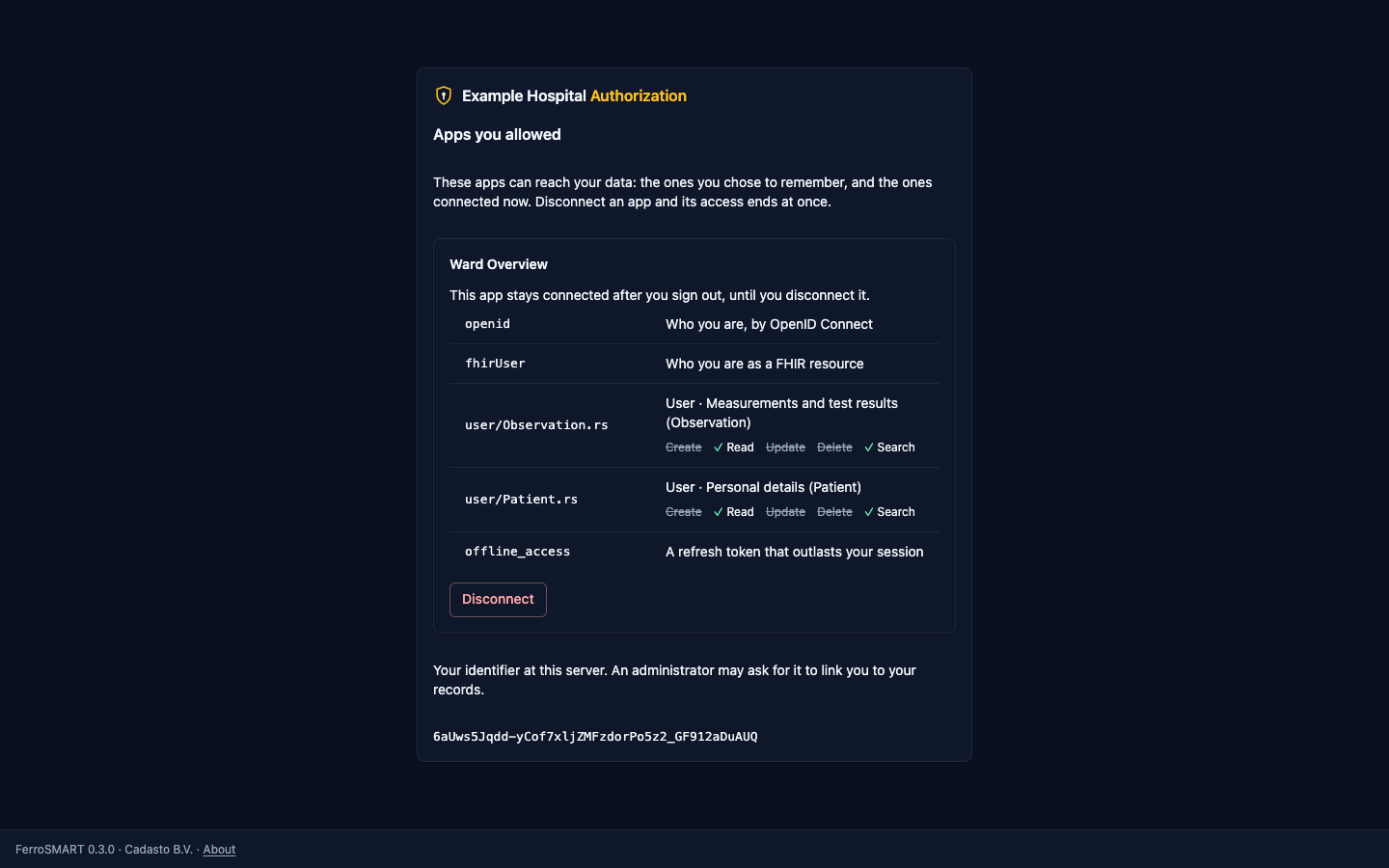
The consent and management pages read each scope in words, with plain words before the common FHIR resource types, such as “Measurements and test results (Observation)”.
Backend Services tokens live at most five minutes, whatever
access_token_lifetime says (SMART App Launch 2.2.0, Backend Services).
Backend Services has no person and no consent: the client’s ceiling is its pre-authorization (SMART App Launch 2.2.0, Backend Services).
The consent rules
This page is the whole rule set for FerroSMART’s consent page: who sees it, when, and which text each rule rests on. How to configure the clients, roles and approvals the rules read is on Clients, roles and consent.
SMART App Launch 2.2.0 leaves the decision to the server: it “will enforce access rules based on local policies and optionally direct end-user input” (Obtain authorization code, Response). Its Best Practices tie the consent step to apps of another party: “in 3rd-party authorization scenarios (where the client and the resource server are not from the same organization), it is a common requirement for authorization servers to obtain the user’s consent prior to granting the scopes requested by the client”. OpenID Connect Core 1.0 §3.1.2.4 lets the server obtain consent through a dialogue “or by establishing consent via conditions for processing the request or other means (for example, via previous administrative consent)”. FerroSMART uses that room so that a person sees the page when it protects them, and never when it protects nothing.
Policy comes first
Before any rule below, policy narrows the request. The granted scope is never wider than the request, the client’s ceiling, the roles the person holds or the patient in context, and the approval when one answers. No page, no approval and no remembered consent widens it.
Who sees the page
The first rule that matches decides.
| # | When | The page | Ground |
|---|---|---|---|
| 1 | The app sends prompt=consent | Always shown | OpenID Connect Core 1.0 §3.1.2.1: the server “SHOULD prompt the End-User for consent” |
| 2 | A public client whose redirect URI in this request is not a claimed https URI (a custom scheme, or a loopback address) | Always shown, with a remembered choice ticked | RFC 8252 §8.6: no automatic processing “except when the identity of the client can be assured”; §7.2; RFC 6749 §10.2 |
| 3 | A professional, using an app the organisation approved (the organisation’s own or another party’s), and the approval covers every scope offered, offline_access included | Not shown | The approval is “previous administrative consent” (OpenID Connect Core 1.0 §3.1.2.4) |
| 4 | As row 3, and the request names patient/ scopes | Not shown in an EHR launch; shown in a standalone launch | In an EHR launch the professional opened the app for the patient the EHR has open, so the approval covers those scopes (§3.1.2.4) |
| 5 | A patient, related person or person, using the organisation’s own app (first_party), and the approval covers every scope offered, offline_access included | Not shown | §3.1.2.4; SMART Best Practices tie consent to third-party apps; the organisation processes its patients’ data in its own app under GDPR Art. 9(2)(h), not on consent |
| 6 | A patient, related person or person, using an app of another party | Shown, unless rule 7 answers | SMART Best Practices: consent is the norm for third-party apps; the patient decides whether another party reads their data |
| 7 | The person ticked “Remember this choice” before, for the same client and the same resource server, and that choice covers every scope offered | Not shown | Remembering is FerroSMART’s own design; a request for more scopes, or for another resource server, shows the page again |
| 8 | Anything else | Shown | SMART App Launch 2.2.0, Obtain authorization code, Response |
A fhirUser of type Patient, RelatedPerson or Person is a patient
or speaks for one (SMART App Launch 2.2.0, Scopes for requesting identity
data). Every other person who signs in is a professional for these rules.
Backend Services has no person, so it has no page: “the client is
pre-authorized by the server” (SMART App Launch 2.2.0, Backend Services,
Scopes). prompt=none never shows a page; FerroSMART keeps no login
session of its own, so it answers login_required (OpenID Connect Core
1.0 §3.1.2.1).
Lasting access for a patient of the organisation’s own app
OpenID Connect Core 1.0 §11 says “the OP MUST always obtain consent to
returning a Refresh Token that enables offline access”. The same text
names “previous administrative consent” as one way to obtain consent
(§3.1.2.4), with no limit on whose consent that is. So an approval of the
organisation’s own app that lists offline_access covers it for the
organisation’s patients as well as its staff, and the patient sees no page
about it. A page about lasting access in the organisation’s own app would
confuse many patients, an elderly person among them, and it would protect
nothing: the organisation already holds the data, and no other party
receives it.
What protects the patient is control afterwards. SMART lets lasting access
run “as long as the authorization server and end-user will allow”
(Scopes and Launch Context, offline_access), and FerroSMART’s management
page, the SMART management_endpoint, lists every app that holds live
access, the organisation’s own included. Disconnect ends that app’s access
at once: its refresh tokens stop working. The organisation’s approval
stays, so the next sign-in follows it again.
What the page shows
The page lists the resource scopes (patient/, user/ and extension
scopes) with a box each, ticked, which the person may untick. The sign-in,
launch and refresh scopes (openid, fhirUser, profile, email,
launch, launch/patient, launch/encounter, offline_access,
online_access) are fixed lines with no box. They give the app no data
the boxes do not, and SMART issues a refresh token only “if granted”
(App Launch, Refresh access token), so an app copes without one; the person
ends lasting access on the management page, where it is listed with how
long it lasts. “Remember this choice” is off unless the person remembered a
choice for the app before.
After the decision
- Every code’s audit record names its basis:
page,remembered,organisationorfirst-party(Audit records). - The person sees every remembered consent and every app with live access on the management page, and disconnects any of them there.
- The administrator withdraws an approval at once through the admin API, or by removing or changing its table and restarting; every token issued on it is revoked.
The admin API
The admin API changes the client registry while FerroSMART runs, so a new app, a changed redirect URI or a withdrawn approval needs no restart. It writes the PostgreSQL store every replica reads, and every change takes effect on the next request at every replica. SMART App Launch 2.2.0 leaves registration to the server (Register App with EHR), so the API is FerroSMART’s own design.
Access
Register a Backend Services client for your administration tool, with
system/admin in its ceiling:
[[ferrosmart.client]]
client_id = "registry-admin"
name = "Registry administration"
kind = "confidential_asymmetric"
jwks_uri = "https://admin.example.org/jwks.json"
scopes = ["system/admin"]
grant_types = ["client_credentials"]
The tool asks the token endpoint for system/admin with FerroSMART’s own
issuer as the resource, and sends the token as a bearer token:
curl -s https://smart.example.org/token \
  -d grant_type=client_credentials -d scope=system/admin \
  -d resource=https://smart.example.org \
  -d client_assertion_type=urn:ietf:params:oauth:client-assertion-type:jwt-bearer \
  -d client_assertion="$assertion"
No role grants a system/ scope, so no person’s token carries it.
FerroSMART checks every admin request against its store: the token not
revoked or expired, issued for its own issuer, and its client still
registered and enabled. A request without a token answers 401 invalid_token, a token without system/admin 403 insufficient_scope.
The routes
| Request | What it does |
|---|---|
GET /admin/clients | Lists every client, disabled ones included |
GET /admin/clients/{client_id} | Reads one client |
POST /admin/clients | Registers a client; answers 201 with its Location |
PUT /admin/clients/{client_id} | Replaces a client with the document sent |
POST /admin/clients/{client_id}/disable | Disables a client and ends everything it holds |
POST /admin/clients/{client_id}/enable | Enables a disabled client |
DELETE /admin/clients/{client_id}/organisation_approval | Withdraws the client’s organisation approval |
GET /admin/keys | Lists the token signing keys, each public key with its state |
Every answer is JSON with Cache-Control: no-store.
The client document
The document carries the keys of a [[ferrosmart.client]] table
(the client registry), with two keys by
value in place of the files:
jwks: a confidential asymmetric client’s JWK Set, in place ofjwks_file;secret_hash: the Argon2id hash of a confidential symmetric client’s secret (ferrosmart client hash-secretmakes it), in place ofsecret_hash_file. FerroSMART never stores or returns the secret, and an answer never carries the hash. APUTof a symmetric client withoutsecret_hashkeeps the stored one.
{
  "client_id": "growth-chart",
  "name": "Growth chart",
  "kind": "public",
  "redirect_uris": ["https://growth-chart.example.org/callback"],
  "resources": ["https://ehr.example.org/fhir"],
  "scopes": ["openid", "fhirUser", "launch", "user/Observation.rs"],
  "grant_types": ["authorization_code"],
  "organisation_approval": {
    "scopes": ["openid", "launch", "user/Observation.rs"],
    "approved_by": "J. de Vries, information security"
  }
}
An approval without approved_at keeps the stored approval’s time when its
scopes, approver and first_party mark are unchanged, and takes the time of
the request otherwise. FerroSMART checks every document by the rules it
checks a table by at start. An answer adds source, config or admin,
and disabled_at for a disabled client.
Refusals
| Status | error | When |
|---|---|---|
415 | invalid_request | The body is not application/json |
413 | invalid_request | The body is over 64 KiB |
400 | invalid_request | The body is not JSON, or names another client_id than the path |
422 | invalid_request | The JSON is not a client document object, or holds a member the document does not have |
400 | invalid_redirect_uri | A redirect URI is not an absolute URL without a fragment (RFC 7591 §3.2.2) |
400 | invalid_client_metadata | Any other rule of the registry is broken, or the client names an identity provider that is not configured (RFC 7591 §3.2.2) |
404 | not_found | No client is registered under the id |
409 | client_exists | A client is registered under the id already |
409 | launch_uri_taken | Another client registers the launch URL |
409 | unchanged | The client is in that state already: disabled, enabled, or without an approval |
A refusal with a status below 500 carries an error_description that names
the rule broken.
Withdrawing and disabling
A PUT whose approval differs from the stored one, or leaves it out, and a
DELETE of the approval, withdraw the approval in the same transaction as
the change: every grant issued on it is revoked with its refresh and access
tokens, and its unredeemed codes are dropped. The person’s next refresh
fails, and introspection answers every revoked token inactive at once.
Disabling a client ends everything it holds: every grant and access token is revoked with its refresh tokens, its codes, launches and pending requests are dropped, and the people’s remembered consents for it are forgotten. No request finds the client again until it is enabled, and an enabled client starts with nothing: its people see the consent page again.
A resource server that checks each JWT itself, without introspection,
still accepts a revoked access token until it expires, at most
access_token_lifetime later (five minutes by default).
The configuration as the seed
At every start a [[ferrosmart.client]] table writes its client, and a
client the configuration wrote and no longer lists is removed. Once the API
creates or changes a client (an update, a disable, an enable, a
withdrawal), the store is its source: its table is no longer written, and
FerroSMART logs a warning at start naming it. A client you disable or
withdraw through the API stays so after a restart.
Records
Every change commits with an audit record that names the administration
client as the requester and the client changed: client-created,
client-updated, client-disabled with how many grants, access tokens
and consents it ended, client-enabled, and
organisation-approval-withdrawn with how many grants it revoked
(audit records). Every admin request also writes the
ferrohealth_smart::audit log line with the client and the route.
The keys
GET /admin/keys lists the token signing ring: the public JWK of each key
with its state, active (signs), next (published ahead of a rotation)
and retiring (the previous key, with whether it is still published). The
private keys stay in the files [ferrosmart.keys] names; a rotation
changes those files (keys and rotation).
The flows
An app finds FerroSMART through the FHIR or openEHR server it wants to
reach: the server’s own .well-known/smart-configuration names FerroSMART’s
authorization_endpoint and token_endpoint. Everything below follows
SMART App Launch 2.2.0.
The standalone launch
- Authorize. The app sends the person to
{issuer}/authorizewith aGETor a formPOST:response_type=code, itsclient_id, a registeredredirect_uri,scope,state, a PKCEcode_challengewithcode_challenge_method=S256, andaud, the base URL of the server the token is for (resourceis taken as a synonym). SMART requires the app to sendaud, so send it. A deployment that configures one resource server takes a missingaudas that server, as its token endpoint does forresource; with two or more, a request withoutaudis refused. AnaudFerroSMART does not serve is refused. An unknown client or redirect URI is shown to the person and never redirected to. - Log in. FerroSMART sends the person to the identity provider and
back to
{issuer}/callback. When the app’s client may use more than one provider (itsupstreams, or every provider when it names none), the person first chooses one at{issuer}/login. - Pick the patient. When the app asks for
launch/patientand the server can be searched, FerroSMART shows its patient picker. A standalone app that asks apatient/scope withoutlaunch/patientis treated as asking it, and the grantedscopesays so. A patient whosefhirUsernames their ownPatientat that server (or at the FHIR server paired with the openEHR server asked) sees no picker: their own record, read again as them, is the context, and they get the app’spatient/scopes without a role at the identity provider. At a FHIR server the person searches by name or identifier (GET [base]/Patient); at an openEHR server whose[[ferrosmart.resource]]names asubject_namespace, the person enters the patient’s identifier and FerroSMART looks the EHR up (GET [base]/ehr?subject_id=…&subject_namespace=…). At an openEHR server paired with its platform’s FHIR server (fhir_base), the person searches the FHIR server instead, and FerroSMART looks the chosen patient’s EHR up by the identifiersubject_systemnames, so the context carries bothpatientandehrId. At an openEHR server that lists purposes of use ([[ferrosmart.resource.purpose]]), a professional chooses one on the picker page, and the lookups send it in the server’s purpose header. The search runs as the person, with a token of their own for that one server that lives 30 seconds and is revoked after the request, so the server’s rules decide which patients they see. The chosen patient is read again as them before it enters the context. When the app also asks forlaunch/encounterat a FHIR server, the picker then lists that patient’s encounters (GET [base]/Encounter?patient=…, as the person, with the scopeuser/Encounter.rs); the person chooses one or goes on without, and the chosen encounter is read again and must belong to the patient. - Consent. The person approves the scopes on the consent page (clients, roles and consent).
- The code. FerroSMART redirects to the app with
code, thestateas sent, andiss(RFC 9207). The code lives 60 seconds and is single use; a second use revokes everything the first one issued. - The token. The app posts to
{issuer}/tokenwithgrant_type=authorization_code, thecode, the sameredirect_uriand thecode_verifier, a public client with itsclient_id, a confidential one with its client assertion.
The patient picker, with a search and its results. Dark theme.
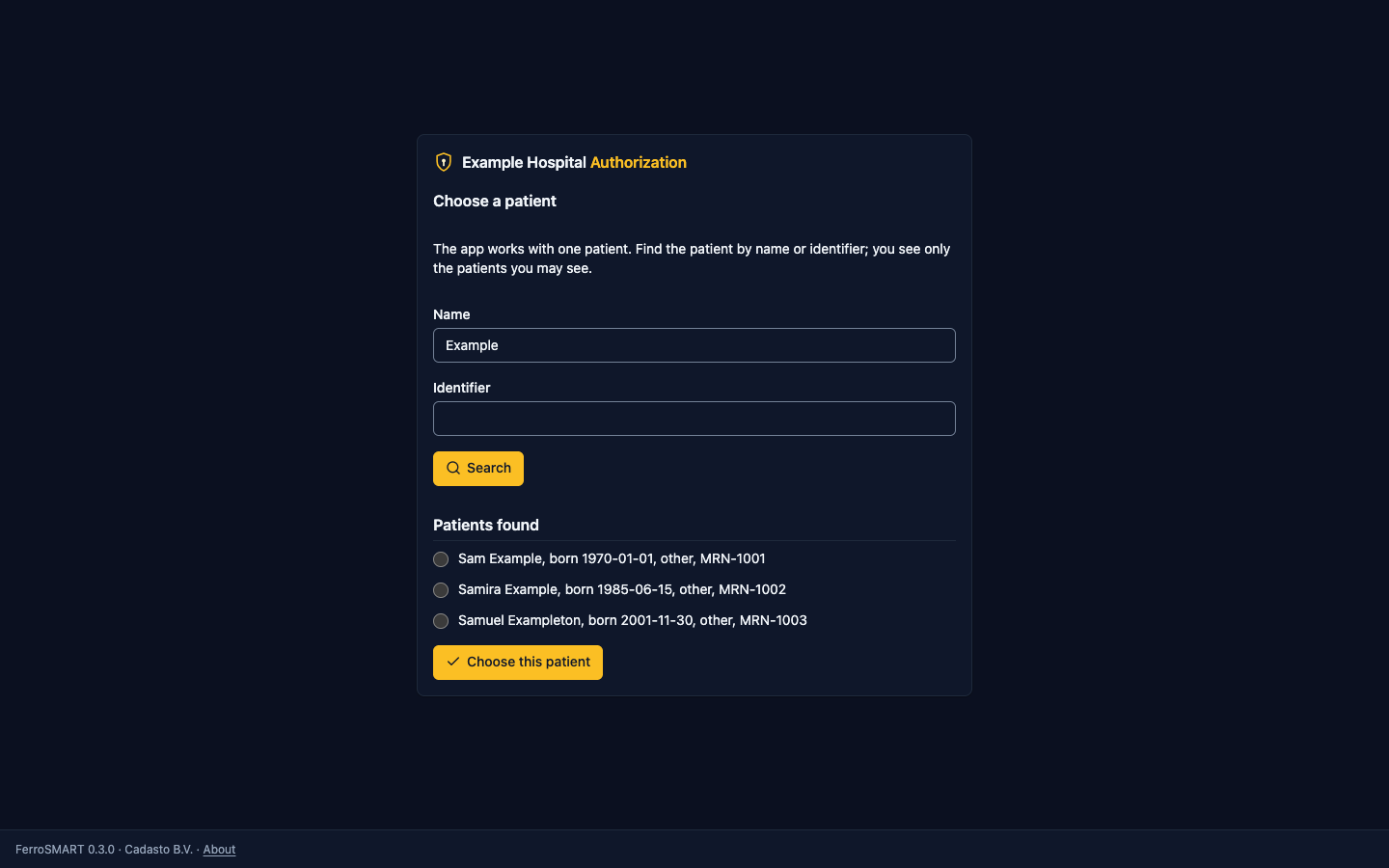
The consent page of an app that reads one patient’s record. Dark theme.
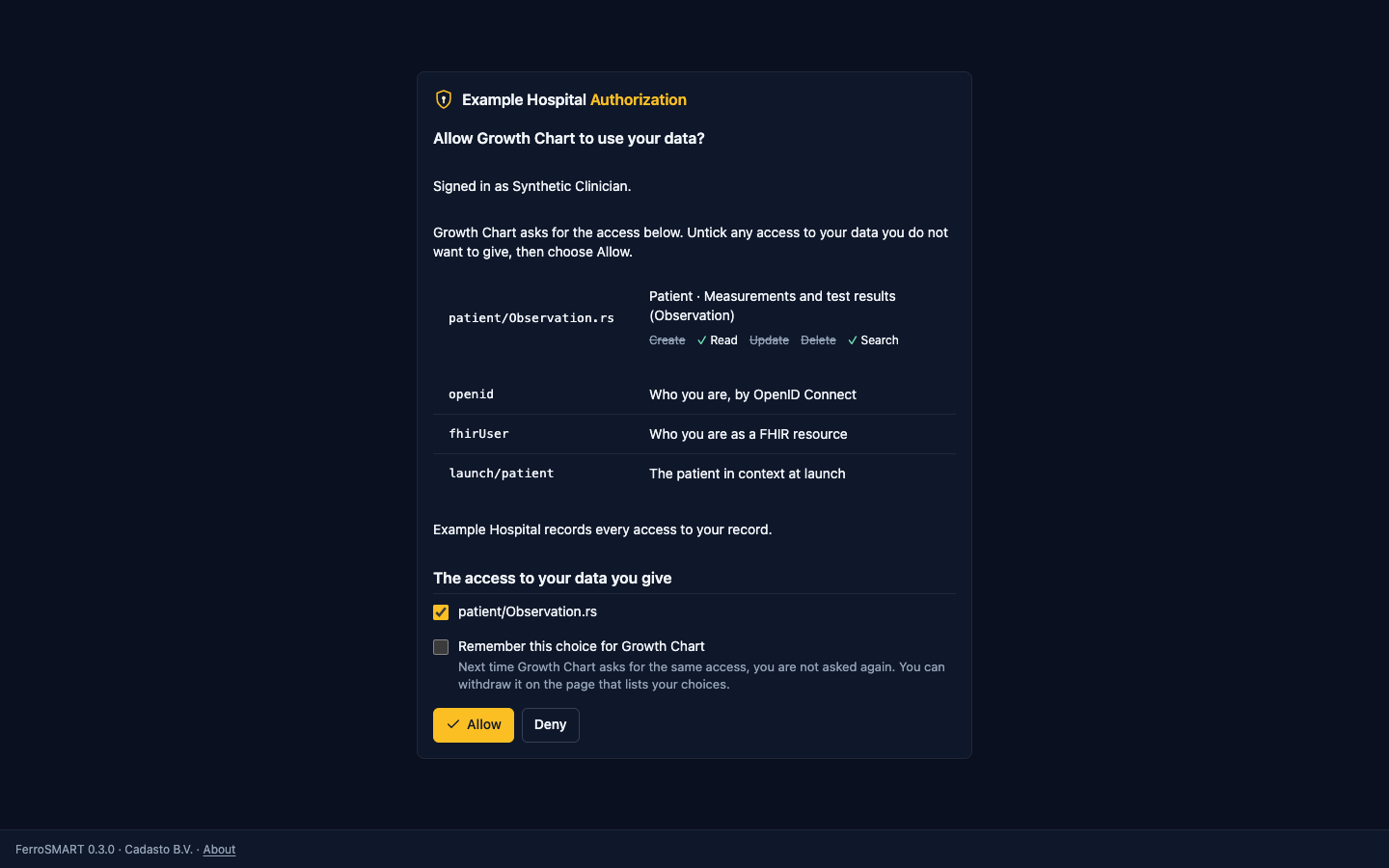
The consent page of an app a clinician uses across patients. Dark theme.
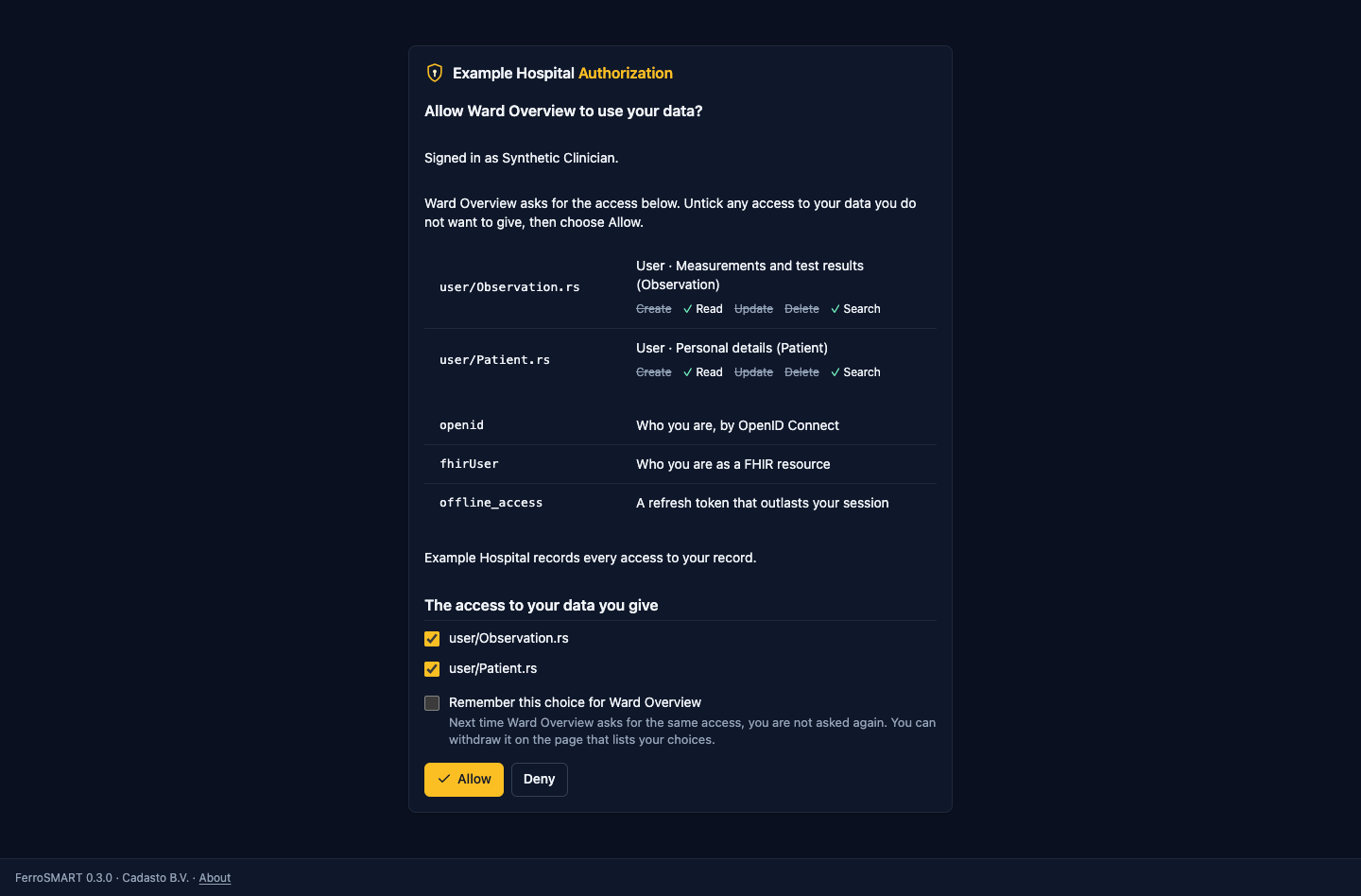
When a request cannot go on, FerroSMART tells the person on a page of its own and never redirects to an address it has not checked.
A request from an app nobody registered. Dark theme.
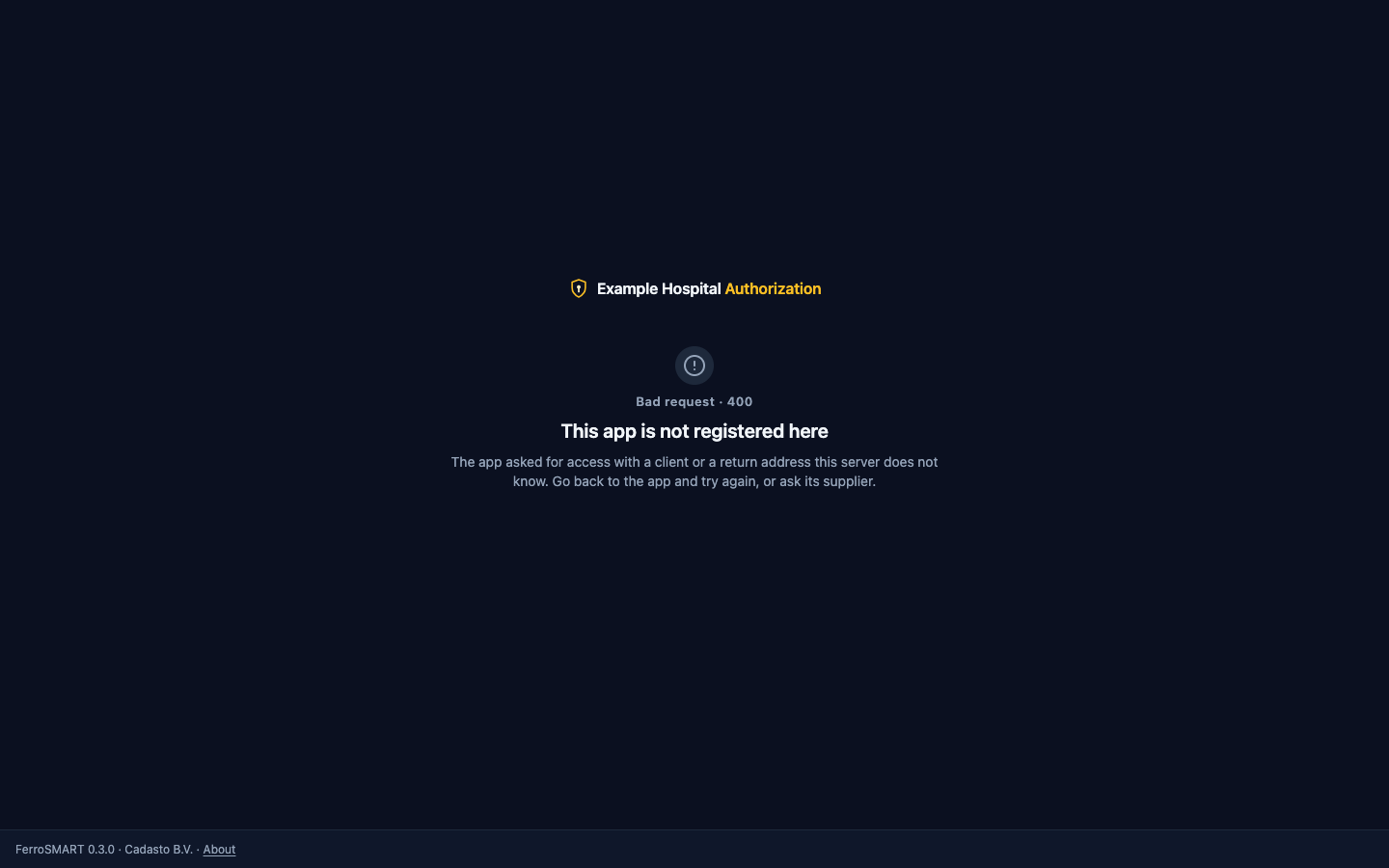
The consent page reached after the request lapsed. Dark theme.
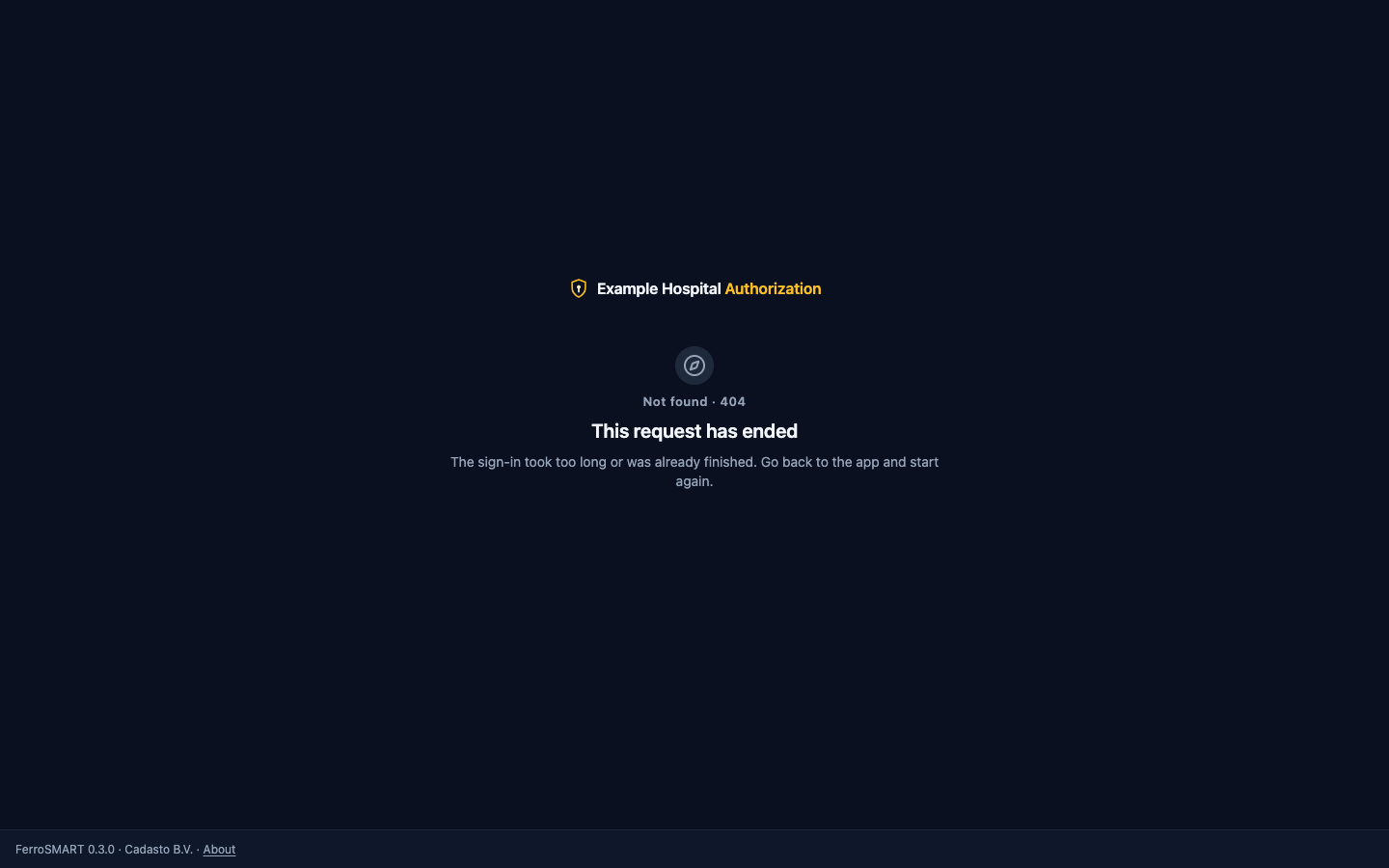
A login that came back to a browser that did not begin it. Dark theme.
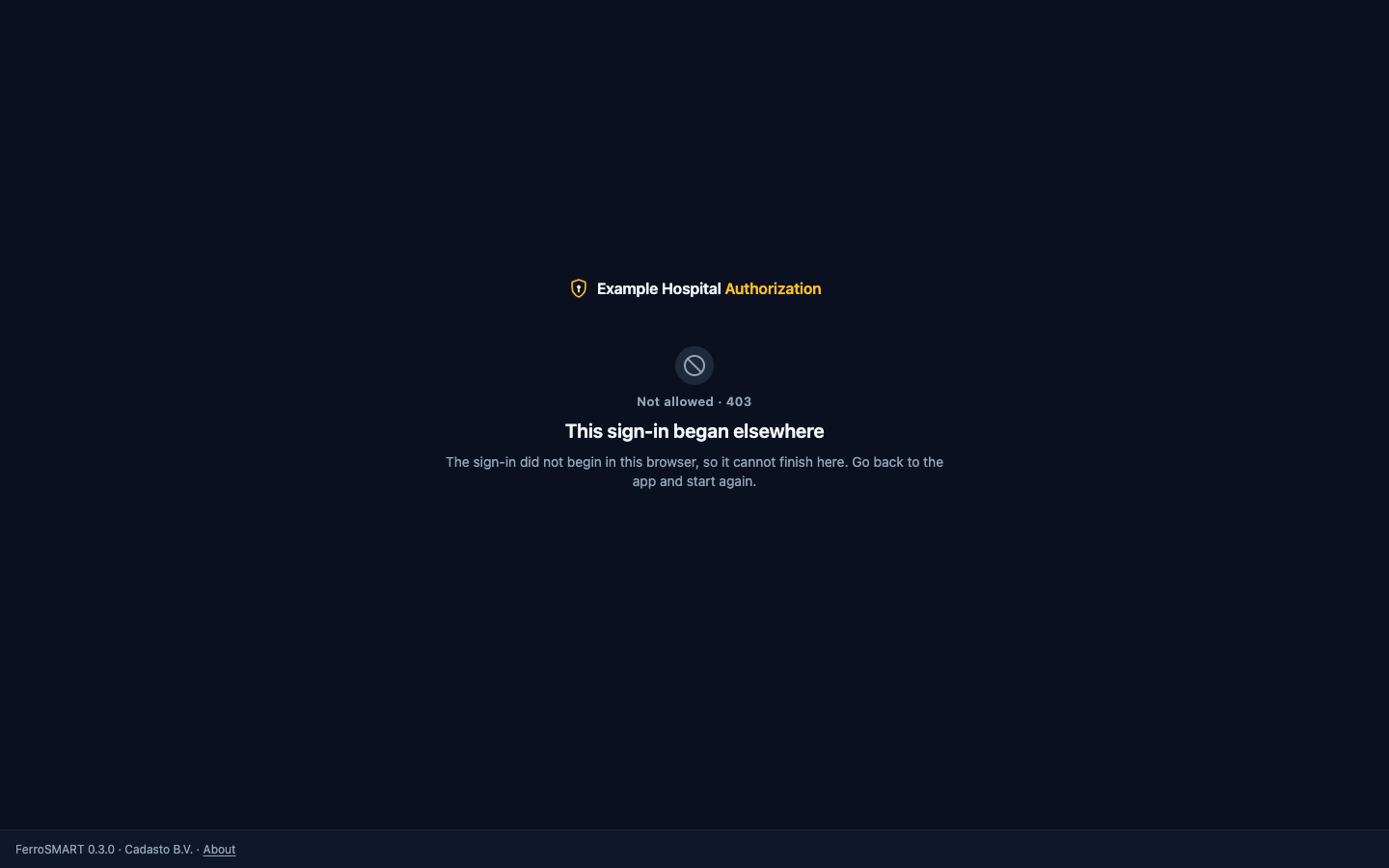
The token response carries access_token, token_type: Bearer,
expires_in, the granted scope, an id_token when openid was granted,
a refresh_token when a refresh scope was, and the launch context:
patient (or ehrId at an openEHR server), encounter, fhirContext,
need_patient_banner, intent and tenant as the launch set them, and
smart_style_url when the deployment configures one. Every token response
carries Cache-Control: no-store and Pragma: no-cache. A browser app’s
token request from one of its registered origins, the origins of its
redirect URIs, gets a CORS answer for that origin; any other origin gets
none.
The EHR launch
The EHR first gives FerroSMART the context and gets a launch value back,
then opens the app with iss and launch
(the EHR launch API). The app asks for the launch scope
and passes the value to /authorize; the rest is the standalone flow
without the picker, and the token response carries the context the EHR
registered.
What an app should expect
Three behaviours are fixed. Each one protects the person or the deployment, and an app works with it in the way described here.
“Remember this choice” is off by default, for the exact scopes asked.
The consent page asks again unless the person ticks “Remember this
choice”, and a remembered choice answers only a later request for the same
scopes or fewer; a request for more shows the page again. This keeps the
patient in control of what each app holds (SMART App Launch 2.2.0, Best
Practices). Ask for the same scopes on each launch, so a remembered choice
applies, and the person can disconnect the app on the management page
(management_endpoint).
Access tokens live five minutes. access_token_lifetime defaults to
five minutes, the same default Keycloak uses. An app that works longer than
that asks for online_access, a refresh token that lives while the person’s
login at the identity provider does, or offline_access, one that outlives
it, and refreshes before the token expires (SMART App Launch 2.2.0, Refresh
access token). The authorization server metadata lists refresh_token in
grant_types_supported (RFC 8414 §2), so a client that reads it knows the
grant is served. A rotated refresh token presented again within ten seconds
by the same client gets the same answer, so a retry is safe.
FerroSMART’s pages refuse to be framed. Every page answers with
frame-ancestors 'none' and its cookie is SameSite=Lax, which keeps
another site from overlaying the consent page (clickjacking, RFC 9700
§4.16). Microsoft Entra ID’s sign-in refuses framing as well. An app that
runs inside an EHR’s iframe opens the authorization request in a new window
or tab, and that window returns to the app’s redirect URI as usual.
The tokens
An access token is an RFC 9068 JWT, typ at+jwt, signed RS256 with a
key published at {issuer}/jwks. It carries iss, sub, aud,
client_id, iat, exp, jti and scope, and the context the response
carried: patient, encounter, fhirUser, and ehrId at an openEHR
server. Its aud is the one base the request named. It lives
access_token_lifetime, five minutes by default.
A person’s sub is pairwise: derived from the identity provider’s issuer
and sub, so two providers never collide and the provider’s identifier
never reaches a resource server. The ID Token, signed RS256, carries
iss, sub, aud, exp, iat, nonce when the app sent one,
auth_time, and fhirUser when fhirUser was granted. When the client’s
ceiling lists profile or email and the app asks for them, the ID Token
also carries name and preferred_username (profile) and email and
email_verified (email) as the identity provider sent them, so a
standard OpenID Connect library can show who is signed in. The sub
stays pairwise.
Backend Services
A system with no person uses the client credentials grant with a client assertion (SMART App Launch 2.2.0, Backend Services):
POST /token HTTP/1.1
Host: smart.example.org
Content-Type: application/x-www-form-urlencoded

grant_type=client_credentials
&scope=system%2FObservation.rs
&client_assertion_type=urn%3Aietf%3Aparams%3Aoauth%3Aclient-assertion-type%3Ajwt-bearer
&client_assertion=eyJ...
&resource=https%3A%2F%2Fehr.example.org%2Ffhir
resource names the server (RFC 8707); it may be left out when FerroSMART
serves one server alone, and FerroSMART’s own issuer is a resource too, for
the introspection and audit endpoints. The granted scope is the request
within the client’s ceiling, and the response has no refresh token. The
token’s sub is the client id.
Refresh, introspection and revocation
Refresh. A refresh token comes with offline_access or
online_access granted. grant_type=refresh_token with the token, and a
scope equal to the grant’s or narrower, returns a new access token and a
new refresh token: FerroSMART rotates every client’s refresh token on each
use. A rotated token presented again revokes the grant with every token
under it, except within 10 seconds of its rotation: the same client
presenting it again then gets the same new refresh token and a fresh access
token, so a retry after a lost response, or two tabs or two backend
instances refreshing at once, keeps the grant. A repeat after the window,
by another client, or once the new refresh token was used, is a replay. An offline_access token lapses after
refresh_idle unused; an online_access token after online_idle, or when
the person’s login at the identity provider ends through back-channel or
front-channel logout, or at FerroSMART’s end-session endpoint.
Logout. An app sends the person to end_session_endpoint
({issuer}/logout, OpenID Connect RP-Initiated Logout 1.0) with the ID
Token FerroSMART gave it as id_token_hint, and optionally a
post_logout_redirect_uri the client registered under
post_logout_redirect_uris and a state. FerroSMART asks the person to
confirm, ends their online_access grants (an offline_access grant
lives on), and sends the browser to the identity provider’s own logout
when it has one. The browser then comes back to the app’s
post_logout_redirect_uri with the state, or, when the app sent no
id_token_hint, to FerroSMART’s own logged-out page. A hint FerroSMART did
not issue, a client_id that is not the hint’s audience, or a redirect URI
the client did not register is a page and no redirect.
The end-session endpoint’s confirmation. Dark theme.
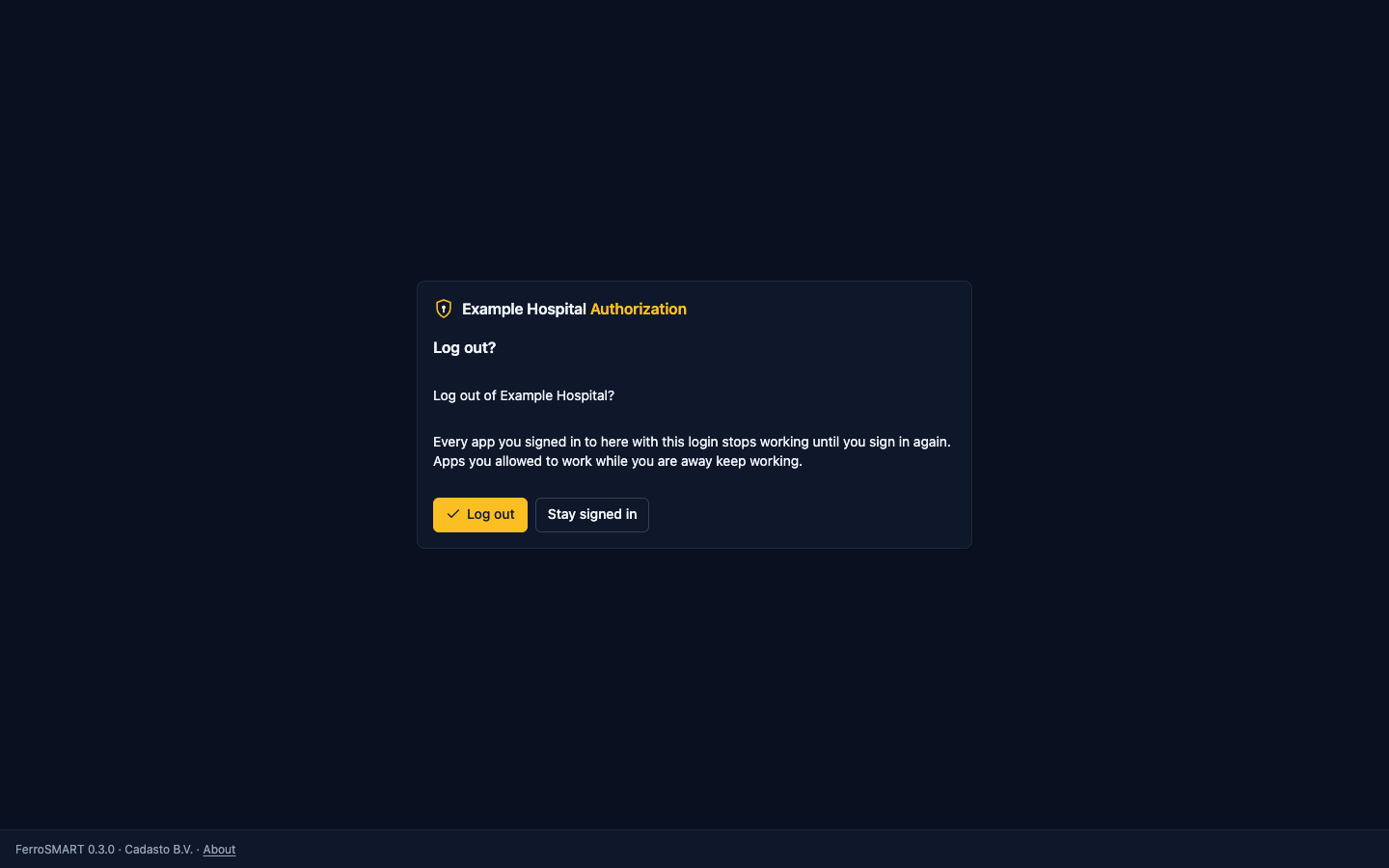
The chooser of an app whose people log in at either of two providers. Dark theme.
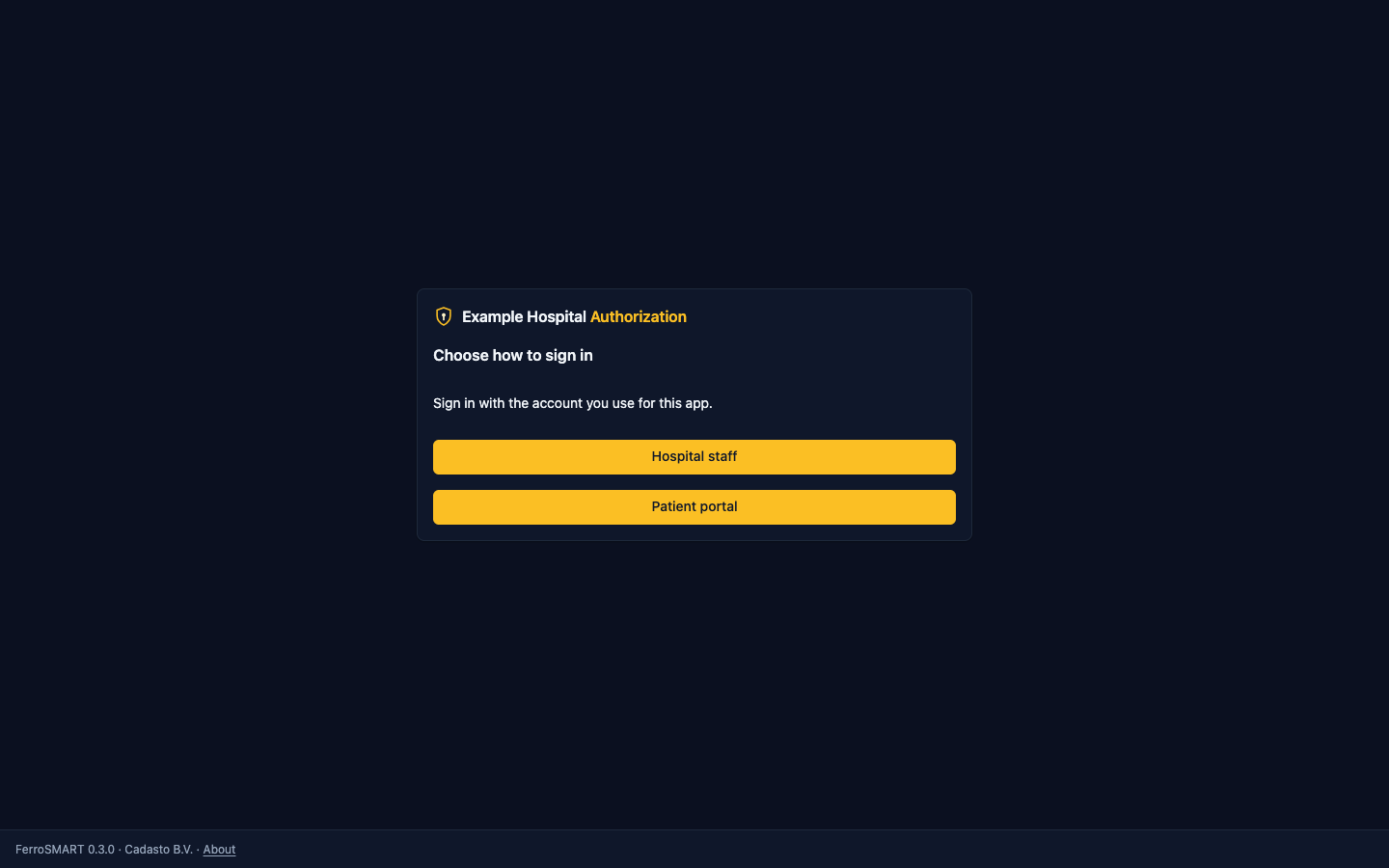
Introspection. POST {issuer}/introspect (RFC 7662) answers for any
token FerroSMART issued. The caller is a confidential client that
authenticates as at the token endpoint, by its private_key_jwt assertion
or its client secret (HTTP Basic or the form), or presents a bearer token
FerroSMART issued for its own issuer; either way it holds
system/introspect in its ceiling. A gateway that introspects with
client_secret_basic, such as Apache APISIX, registers as a confidential
symmetric client. A public client cannot introspect. An
active token’s answer carries active: true, scope, client_id, exp,
the launch context of the original response, and iss and sub of an ID
Token that was issued; anything else answers {"active": false} alone.
Revocation. POST {issuer}/revoke (RFC 7009) takes a token the calling
client holds: a confidential client authenticates, a public client sends
its client_id. Revoking a refresh token revokes its grant with every token
under it; revoking an access token revokes that token. An unknown token
answers 200; another client’s token is refused with
unauthorized_client.
The EHR launch API
In an EHR launch the EHR hands the app “an opaque handle to the EHR
context”, which the app passes back as launch, and “the server will
provide the application with EHR context based on this handle” (SMART App
Launch 2.2.0, SMART authorization & FHIR access: overview). SMART does not
say how the EHR gives the authorization server that context. FerroSMART
offers two ways, both its own design: register the context and get a
launch value, or sign the context and use the JWT as the value. Either
way the launch is bound to the EHR, the app and the server, lives at most
five minutes and is redeemed once.
Register the EHR
The EHR is a confidential client with its JWK Set, and its ceiling lists
system/launch.c. Each app it launches is a client of the
authorization_code grant whose ceiling lists launch:
[[ferrosmart.client]]
client_id = "ehr"
name = "Example EHR"
kind = "confidential_asymmetric"
jwks_uri = "https://ehr.example.org/.well-known/jwks.json"
scopes = ["system/launch.c"]
grant_types = ["client_credentials"]
Way 1: register the launch
On each launch, the EHR posts the context to {issuer}/launch, the URL
FerroSMART’s .well-known/smart-configuration and RFC 8414 metadata name
launch_registration_endpoint (a member of FerroSMART’s own; SMART defines
none), authenticated with the client assertion it would send to the token
endpoint: iss and sub its client_id, aud FerroSMART’s token URL or
issuer, exp at most five minutes ahead, a fresh jti, signed RS384 or
ES384, typ JWT.
POST /launch HTTP/1.1
Host: smart.example.org
Content-Type: application/x-www-form-urlencoded

client_assertion_type=urn%3Aietf%3Aparams%3Aoauth%3Aclient-assertion-type%3Ajwt-bearer
&client_assertion=eyJ...
&app_client_id=growth-chart
&resource=https%3A%2F%2Fehr.example.org%2Ffhir
&patient=123&encounter=456&need_patient_banner=false
&fhirContext=%5B%7B%22reference%22%3A%22DiagnosticReport%2F7%22%7D%5D
| Parameter | What it is |
|---|---|
app_client_id or app_launch_uri | The app the launch is for, by its client_id or by the launch_uri it registers; exactly one |
resource | The base URL of the server, one of [[ferrosmart.resource]] and one the app’s resources lists (invalid_target otherwise) |
patient, encounter | The FHIR ids in context |
fhirContext | A JSON array of context items, each with a reference, canonical or identifier |
intent, need_patient_banner, tenant | The SMART launch context parameters of the same names |
ehrId | The openEHR EHR in context, for an openEHR server |
appContext | A SMART Task’s application context, at most 8192 bytes, which the token response carries unchanged as appContext |
FerroSMART answers 201 Created:
{"launch": "<43 characters>", "expires_in": 300}
The value is 256 random bits, stored only as its SHA-256.
Way 2: sign the launch
The EHR signs the same context as a JWT with a key of its registered JWK
Set and uses the compact JWS as the launch value. FerroSMART is not
called first, so the EHR and FerroSMART share nothing but the key set.
{"alg": "ES384", "typ": "launch+jwt", "kid": "ehr-1"}
{"iss": "ehr", "aud": "https://smart.example.org", "exp": 1794856312,
 "jti": "b1f0...", "client_id": "growth-chart",
 "resource": "https://ehr.example.org/fhir",
 "patient": "123", "encounter": "456", "need_patient_banner": false}
FerroSMART checks it the way it checks a client assertion: typ
launch+jwt, signed RS384 or ES384, aud FerroSMART’s issuer as its
one value, exp at most five minutes ahead, and a jti used once.
client_id is the app and resource the server.
Open the app
Open the app’s launch URL with iss, the server’s base, and launch:
https://app.example.org/launch?iss=https%3A%2F%2Fehr.example.org%2Ffhir&launch=<value>
The iss is the launch’s resource, since the app’s aud at the
authorization endpoint “is the same as the launch’s iss value” (SMART App
Launch 2.2.0, Obtain authorization code). The app reads the server’s
.well-known/smart-configuration, which names FerroSMART, and sends the
person to /authorize with the launch scope and value. The person logs
in and consents, and the token response carries the context the EHR gave.
The flows show the consent page.
A launch that the app does not redeem within five minutes, or redeems for another app or server, fails; the EHR launches again.
A server behind FerroSMART
A FHIR or openEHR server sits behind FerroSMART as a resource server: it reads the tokens FerroSMART issues and never sees the person log in. The identity provider runs upstream for login only.
 browser            SMART app           FerroSMART           identity provider
    |  1. launch        |                    |                       |
    |------------------>| 2. /authorize      |                       |
    |                   |    aud = the base  |                       |
    |<---------------------------------------|  3. login             |
    |--------------------------------------------------------------->|
    |<---------------------------------------------------------------|
    |  4. picker and consent                 |                       |
    |--------------------------------------->|                       |
    |                   |<- 5. code, token ->|                       |
    |                   |  6. API call with the access token         |
    |                   |------------------------------> the server
On FerroSMART’s side
Name the server’s base as a resource, so a launch can use it as aud:
[[ferrosmart.resource]]
base = "https://ehr.example.org/openehr/v1"   # or the FHIR base
kind = "openehr"                               # or "fhir"
subject_namespace = "examples"                 # openEHR only: the picker's EHR lookup
When the platform also serves FHIR, pair the two bases. The picker then
finds the patient at the FHIR server and their EHR at the openEHR server,
and the app gets both patient and ehrId:
[[ferrosmart.resource]]
base = "https://ehr.example.org/fhir"

[[ferrosmart.resource]]
base = "https://ehr.example.org/openehr/v1"
kind = "openehr"
subject_namespace = "examples"
fhir_base = "https://ehr.example.org/fhir"     # the platform's FHIR base, configured above
subject_system = "urn:example:mrn"             # the Patient.identifier that names the EHR's subject
On the server’s side
The server checks each token as an RFC 9068 JWT:
- the signature with a key from FerroSMART’s
jwks_uri, refetched on an unknownkid, so a rotated key is found; typat+jwt,issFerroSMART’s issuer,audits own base,exp;- the
scopeclaim against what the request needs, and the context claimspatient,encounter,fhirUserandehrIdfor whose data it is; - the
rolesclaim (RFC 9068 §2.2.3.1), when the server takes roles from its issuer: the person’s roles at the identity provider that a[[ferrosmart.role]]names, carried by every token of a user flow and never by a Backend Services token. The server decides itself whether it trusts FerroSMART for roles (FerroEHR’srole_issuers), and a privileged role such as an emergency access role needs its own[[ferrosmart.role]]table to reach it. The patient picker’s own short-lived token carries the sameroles, and at an openEHR server that lists purposes of use its lookups declare the professional’s chosen purpose in the server’s purpose header (configuration).
A server that cannot read JWTs introspects instead
(the flows), as a
registered client whose ceiling lists system/introspect.
The server serves its own .well-known/smart-configuration, as SMART asks
of every FHIR endpoint that requires authorization, and names FerroSMART’s
authorization_endpoint and token_endpoint in it, so an app that starts
at the server finds FerroSMART.
A FerroHEALTH product
Every FerroHEALTH product does this through ferrohealth-smart, the crate
the FerroSMART repository publishes. It trusts FerroSMART in one named
issuer table under the ferrosmart preset. The preset makes the issuer a
persons issuer and keeps every RFC 9068 default except these: typ is
at+jwt alone, scope is required, a patient’s own token is read as the
patient, the patient claim is the launch context (patient_context), and
a token from FerroSMART’s own patient picker, whose client is the issuer
itself, is the signed-in person with no app. The audience is the product’s
own base URL unless the table names another. delegates lists the SMART
apps the product admits for a person, a patient’s apps among them:
[auth.issuer.smart]
issuer = "https://smart.example.org"
preset = "ferrosmart"

[auth.issuer.smart.profile]
delegates = [{ client = "growth-chart" }]
An app can instead be registered once, at FerroSMART. Give each
[[ferrosmart.client]] the bases its tokens may name in resources
(clients); FerroSMART then
refuses a token for any other base with invalid_target. A product’s table
can admit every app whose token names the product in aud, in place of
listing each one:
[auth.issuer.smart.profile]
audience_delegates = true
Each table makes its own choice: delegates keeps the product’s own list,
audience_delegates reads every app of a FerroSMART token for the product
as a delegate, the listed ones included. The key is refused on an issuer
under any other preset, because only FerroSMART is known to issue an app’s
tokens just for the bases it lists. A product whose own data decides which
apps it admits, such as FerroEHR with its CDR grant, takes neither key, and
its own access policy still decides every request.
The same table reads a Backend Services token as a system caller, because
its sub is its client_id. A token through a listed app is the patient’s
own access when its fhirUser is Patient/<x>, its patient is x, and
its scopes are patient/ with no user/ or system/ scope; any other
person’s token, a professional’s with patient/ scopes included, is read as
the professional’s. The product’s own SMART document describes
FerroSMART, and its own rules still apply on top of the token’s scopes.
Every other key names the issuer by its table’s name (smart here), and
the environment form does too: FERROEHR__AUTH__ISSUER__SMART__PROFILE__DELEGATES.
An unknown name is refused at start, with the known names listed.
Each product’s book has the details of its [auth] section.
Issuer profiles
An issuer table names a preset: rfc9068 (the standards alone, the
default), keycloak, entra, okta or ferrosmart. A deployment whose
issuer needs more than a preset carries, such as a national binding or an
IdP of its own, writes the profile in a file of the same form and names it
with profile_file. Keys in the issuer’s [auth.issuer.<name>.profile]
table win over both:
[auth.issuer.provider_a]
issuer = "https://care-provider-a.example.org"
profile_file = "/etc/ferro/profiles/nl-annex-b.toml"
audience = ["https://fhir.example.org/fhir"]
sender_constraint = "required"

[auth.issuer.provider_a.profile]
token_types = ["at+jwt"]

[auth.issuer.provider_a.federation.fields]
"provider.healthcare_provider_identifier" = [{ constant = "87654321", system = "urn:oid:2.16.528.1.1007.3.3" }]
The products ship no country content. This example file maps the Dutch harmonised authentication of the openEHR Federation Tier specification 1.0.1 Annex B §B.4a, each value with its source:
# SPDX-FileCopyrightText: Cadasto B.V.
# SPDX-License-Identifier: BUSL-1.1
#
# An example issuer profile a deployment loads with `profile_file`: the
# harmonised BgZ and eOverdracht authentication of the openEHR Federation
# Tier specification 1.0.1, Informative Annex B "Dutch Generic Functions
# binding", §B.4a, which attributes it to the VWS memo concept v0.9 of 13 July
# 2026 (docs/specs/federation-spec/modules/ROOT/pages/annex-b-dutch-gf.adoc,
# syntaric/openehr-federation-spec at b4242c29). The products ship no country
# content; this file is the deployment's. The issuer is one requesting care
# provider, whose tokens arrive on a `federation` issuer. Each value cites its
# section; every profile key can be set in the issuer's
# `[auth.issuer.<name>.profile]` table, and every key of the `federation`
# table below in its `[auth.issuer.<name>.federation]` table, which win over
# this file.
#
# §B.4a "is a national track distinct from, and not a refinement of, the
# Nuts Generic-Functions profile of §B.4", and "A Dutch deployment SHOULD
# establish which of the two applies to it". This profile is §B.4a only; a
# §B.4 token is read through the `presentations` sources of the federation
# table, which Annex B names no credential paths for.

# §B.4a.2: the requesting care provider's own tokens, read on this node as
# another party's.
kind = "federation"
# §B.4a.2 names no `typ` header, so the profile accepts none: the issuer
# fails to load until the deployment sets `token_types` itself.
token_types = []
# §B.4a.2: FAPI 2.0's "strict token/request validation (`iss`, `aud`, `exp`,
# and a unique `jti` against replay)". `sub` is the claim the resource
# server identifies the caller by, and `client_id` names the client of "The
# client-credentials flow" (RFC 9068 §2.2). §B.4a.3: "the healthcare
# attributes travel in an RFC 9396 Rich Authorization Requests
# `authorization_details` object".
required_claims = ["iss", "sub", "aud", "exp", "jti", "client_id", "authorization_details"]

[federation]
# Annex B is a "regional alternative" for a Dutch deployment, not a
# MyHealth@EU contact point.
contact_point = false
# Annex B binds "Netherlands - Generic Functions for data exchange".
countries = ["NL"]
# §B.3: the care provider is identified "by URA number (CIBG URA-register)"
# and the practitioner "by UZI/DEZI number (CIBG Dezi-register)".
issuing_authorities = ["CIBG"]
# §B.4a.3 example: an organisation is
# "urn:oid:2.16.528.1.1007.3.3.12345678", the URA 12345678 of §B.7's table.
provider_identifier_prefixes = ["urn:oid:2.16.528.1.1007.3.3."]
# §B.4a.2: "Both the token request and the access token are signed by the
# issuing organization"; §B.4a.3: the purpose "travels as a declaration by
# the requesting organization, which is responsible and liable for it".
attests_authorization_details = true
# §B.4a.3 example: `"type": "nl-gis-v1"`.
authorization_details_type = "nl-gis-v1"
# §B.4a.2: "there is no interactive user in the exchange", which is
# "system-to-system"; §B.4a.1: "only the counterpart organization's identity
# is verified". The entry is the organisation's access statement, and the
# profile maps no professional field.
organisation_types = ["nl-gis-v1"]
# §B.4a.2: FAPI 2.0 brings "sender-constrained access tokens", so the issuer
# fails to load without `sender_constraint = "required"`.
requires_sender_constraint = true
# §B.4a.3: the purpose travels in every entry. §B.4a.4: for "the query use
# case", which a federated query is, the "Organization type must travel".
# §B.4a.1: the URA is "the system-wide unique organization identifier".
# The organisation type is the generic facility type, and the URA the
# generic provider identifier: no field name says which country a value
# comes from, its code system does.
required_fields = [
  "purpose_of_use",
  "provider.facility_type",
  "provider.healthcare_provider_identifier",
]

# §B.4a.3 example entries. The access token is signed by the requesting
# organisation itself (§B.4a.2), so its URA is the issuer's identity: the
# deployment sets it with its code system, the URA register's OID of the
# §B.4a.3 example, in the issuer's `[auth.issuer.<name>.federation.fields]`
# table: `"provider.healthcare_provider_identifier" = [{ constant = "…",
# system = "urn:oid:2.16.528.1.1007.3.3" }]`. The organisation type travels
# as the `system|code` text of the §B.4a.3 example.
# Annex B does not define the entry's `locations_organization_id`; read
# with RFC 9396 §2.2 `locations` it names the organisation at the resource
# server, this node's (our own reading), so it is not read as the
# requester's.
[federation.fields]
"purpose_of_use" = [{ authorization_details = "purpose_of_use" }]
"provider.facility_type" = [{ authorization_details = "subject_organisation_type" }]
The treatment relationship fields
A federation table maps these fields of a treatment relationship
confirmation, each from a claim, a credential subject path, an attested
authorization_details member or a constant, as it maps the professional
and provider fields:
| Field | Value |
|---|---|
trc.id | The confirmation’s identifier, one string |
trc.not_before | The start of its window, in seconds since the epoch |
trc.not_on_or_after | The end of its window, in seconds since the epoch |
trc.care_role | The care role it attests for the professional: one coded value with its code system, as a FHIR Coding [{ "system": "…", "code": "…" }] or a configured { constant = "…", system = "…" }; a string, a code without a system or two codes refuse the token (attribute-refused) |
The products name no care role value set: the deployment’s access policy
names the one it reads. A contact point’s token that carries any of these
fields carries trc.id and both window bounds.
Why a token was refused
A product refuses a token with 401 and error="invalid_token", or a
request its token does not permit with 403 and
error="insufficient_scope". The WWW-Authenticate header carries a
stable reason code as error_description (RFC 6750 §3), and the product
logs the same code at info with the token’s issuer, client id and key id:
WWW-Authenticate: Bearer realm="ehr", error="invalid_token", error_description="audience-mismatch"
INFO a request was refused reason="audience-mismatch" status=401 issuer="https://smart.example.org" client_id="growth-chart" kid="k-2026-11"
A missing credential carries no code (RFC 6750 §3.1 asks for none), and a Basic challenge carries none either. The codes:
| Code | The check that refused |
|---|---|
credential-missing | no credential of a scheme the server admits (log only) |
two-credentials | two Authorization header fields |
malformed-header | an Authorization value that is no scheme and credential |
not-b64token | a bearer value outside the RFC 6750 §2.1 syntax |
malformed-token | not a JWS in compact serialization |
algorithm-refused | an algorithm outside the configured set |
type-mismatch | a typ that names another kind of token (RFC 9068 §4) |
key-unknown | no key of the issuer’s set |
signature-invalid | the signature does not verify |
expired, not-yet-valid, issued-in-future | exp, nbf, iat |
issuer-mismatch | iss is not the issuer the key set belongs to |
issuer-unknown | iss names no issuer the server trusts |
audience-mismatch | aud names none of the server’s audiences |
claim-missing | a claim the issuer’s profile requires is absent |
subject-not-string, subject-blank | sub is not a string, or blank |
token-inactive | introspection answered active: false (RFC 7662 §2.2) |
key-set-unavailable, upstream-unavailable | the key set or another upstream could not be read (503, log only) |
basic-malformed, basic-rejected, basic-incomplete | the Basic credential (log only) |
scope-not-granted | the token holds and grants nothing for the request (403) |
route-unclassified | the route is one the server does not classify (403) |
party-source-unavailable | the party source could not answer (503, log only) |
claim-unexpected, user-claim-missing | a claim the profile expects holds another value, or a user claim is absent |
impersonation, app-only-markers-disagree, scope-form | the profile’s impersonation marker, app-only markers or scope form |
not-patient-context, patient-actor-refused | a patients token that does not name only its subject, or names an actor |
not-app-only, client-missing | a machines token that is not app-only, a persons token with no client |
delegate-not-granted, actor-not-granted | the client, or the act actor, is neither first party nor a delegate |
actor-chain-refused, representation-with-act, representation-through-delegate | the act chain, or a representation claim beside it |
professional-incomplete, required-fields-missing, attribute-out-of-bounds, attribute-refused, sources-disagree | a federation token’s attributes |
authorization-details-refused, organisation-statement-missing, assurance-too-low, presentations-unreadable, contact-point-refused | a federation token’s grants and assertions |
kind-unclassified | no step classifies a token of the issuer’s kind |
refused-unbound, refused-wrong-marker, refused-ambiguous, refused-inactive, refused-abandoned, refused-deprovisioned, refused-key-claim-missing, refused-groups-unavailable | the product refuses the login’s party binding (403) |
dpop-…, certificate-…, confirmation-unknown, sender-constraint-required | a DPoP proof or a sender-constrained token (RFC 9449, RFC 8705) |
A code names a check, never a claim value, and keeps its meaning once published.
A product starts whether or not FerroSMART is up: it reads FerroSMART’s
metadata in the background, retrying with a back-off of one second doubling
to one minute, and reports not ready on its readiness route until the read
succeeds. Until then it refuses FerroSMART’s tokens with 503 and the code
issuer-unread, so the two can start in any order.
For a server of your own in Rust, add the crate with its axum layer:
cargo add ferrohealth-smart -F axum
Its documentation is on docs.rs.
Keys and rotation
FerroSMART holds two rings of keys, each for one purpose, so a key of one kind signs nothing the other is trusted for (RFC 8725 §3.12):
| Ring | Configured in | Published at | Signs |
|---|---|---|---|
| The token keys | [ferrosmart.keys] | {issuer}/jwks, which every discovery document names | Access tokens and ID Tokens |
| The assertion keys | [ferrosmart.upstream.oidc.private_key_jwt.keys] | {issuer}/upstream-jwks, which no discovery document names | FerroSMART’s own client assertions to the identity provider |
The two rings may share no key; FerroSMART refuses to start when they do. Each key is a PEM file from a mounted secret. The private key never enters the database.
The token keys
Tokens are signed RS256, the algorithm RFC 9068 §2.1 and OpenID Connect
Discovery 1.0 §3 have every authorization server support and SMART signs
ID Tokens with. none and HMAC never sign. One ring signs both access
tokens and ID Tokens; their typ (at+jwt against JWT) keeps an ID Token
from passing as an access token.
Make a key with OpenSSL:
openssl genpkey -algorithm RSA -pkeyopt rsa_keygen_bits:3072 -out rs256.pem
A key is published under the kid you configure, or its RFC 7638
thumbprint. {issuer}/jwks answers with Cache-Control: public, max-age=3600, so a resource server may hold the key set for an hour, and a
resource server refetches it when a token names a kid it has not seen.
Rotating the token keys
A rotation never leaves a resource server holding a token whose key it cannot find:
- Publish the next key. Set
next_private_key_fileto the new key and restart. The next key is published at{issuer}/jwksand signs nothing. Wait at least an hour, the key set’s cache lifetime, so every resource server has seen it. - Make it current. Move the new key to
private_key_file, the old one toprevious_private_key_file, removenext_private_key_file, and restart. The new key signs; the old one is still published. - Retire the old key. Keep the previous key published for the
longest-lived token it signed plus the cache lifetime: with the
default
access_token_lifetimeof five minutes, an hour and five minutes.previous_key_overlapremoves it by itself after that long; at0sit stays until you removeprevious_private_key_fileand restart.
Every replica must run the same three files. Restart the replicas one at a
time; each one drains before it stops (operations).
GET {issuer}/admin/keys shows each replica’s ring as it runs: every public
key with its state, active, next or retiring
(the admin API).
The assertion keys
When FerroSMART authenticates to its identity provider with
private_key_jwt, the current assertion key signs a fresh assertion for
every request: iss and sub the client id, aud the provider’s token
endpoint, a unique jti, exp 60 seconds ahead, typ JWT. The
algorithm is the one the provider’s registration names (algorithm,
RS256 by default), and certificate_file names the current key’s X.509
certificate for a provider that knows the key that way.
The assertion ring rotates the same way. A provider that reads
{issuer}/upstream-jwks, as Keycloak does, sees the next key before it
signs. A provider that stores a certificate, as Microsoft Entra ID does,
needs the next key’s certificate uploaded before step 2, and the old one
removed after step 3.
Audit records
FerroSMART records every login and every token request as a FHIR R4
AuditEvent, in its own PostgreSQL store. An issued token and its record
commit in one transaction; a refusal or a login commits its record alone.
When a record cannot be committed, the request fails: the token endpoint
answers 503 and issues no token.
What is recorded
| Event | Form |
|---|---|
| A token request, granted or refused | The ITI-71 audit event of IHE Basic Audit Log Patterns 1.1.4, profile IHE.IUA.71: type 110114, subtype ITI-71, the client and the authorization server as agents, the person as agent:user when one logged in, and the HTTP request as the token-request entity, with the values of code_verifier, code, refresh_token, client_secret and client_assertion left out |
| A login at the identity provider | DICOM User Authentication, type 110122 Login |
| A session ended by back-channel or front-channel logout | DICOM User Authentication, 110123 Logout |
| A logout at the end-session endpoint | DICOM User Authentication, 110123 Logout, subtype logged-out |
Every other write FerroSMART makes for a person or a client commits with a
record of its own, in a form of FerroSMART’s design, since no IHE or BALP
pattern covers it. The subtype comes from FerroSMART’s code system
urn:ferrosmart:audit-event:
| Write | type | Subtypes | action |
|---|---|---|---|
A code issued, with its basis as the basis detail: page (the person approved on the consent page), remembered (a remembered consent), organisation (the app’s organisation approval) or first-party (the approval of the organisation’s own app) | 110114 | authorization-code | C |
| A consent remembered | 110113 | 110137, consent-remembered | C |
| An app disconnected at the management page, with whether a remembered consent was forgotten and how many grants were revoked | 110113 | 110137, consent-withdrawn | D |
| A code issued on the app’s organisation approval, with no consent page | 110113 | 110137, consent-organisation-approved | C |
| A code issued on the first-party approval of the organisation’s own app, with no consent page | 110113 | 110137, consent-first-party-approved | C |
| An organisation approval withdrawn | 110113 | 110137, organisation-approval-withdrawn | D |
| An access token revoked | 110113 | token-revoked | D |
| A grant revoked by its refresh token | 110113 | grant-revoked | D |
| A refresh token rotated | 110114 | refresh-rotated | E |
| A rotated refresh token repeated by its client within 10 seconds, answered with the same successor | 110114 | refresh-repeated | E |
| A rotated refresh token reused, its grant revoked | 110113 | refresh-reused | E |
| A code redeemed again, its tokens revoked | 110113 | code-reused | E |
| An upstream session ended | 110114 | 110123, session-ended | E |
| The patient picker’s own token issued | 110114 | picker-token | C |
| A client registered through the admin API | 110113 | 110137, client-created | C |
| A client changed through the admin API | 110113 | 110137, client-updated | U |
| A client disabled, with the grants, access tokens and consents it ended | 110113 | 110137, client-disabled | D |
| A disabled client enabled | 110113 | 110137, client-enabled | U |
None of these is an access to a person’s electronic health data. The patient picker, which does read Patient resources and EHRs, writes the access record of Regulation (EU) 2025/327 Annex II 3.2 for each search and read.
[ferrosmart.audit] source_id and site name FerroSMART as the recording
system in each record (configuration).
Reading the records
GET {issuer}/audit answers a FHIR searchset Bundle of AuditEvent
resources, newest first. The caller presents a bearer token FerroSMART
issued for its own issuer with the scope system/AuditEvent.rs: a
Backend Services client whose ceiling lists that scope, asking with
resource set to the issuer.
| Parameter | What it selects |
|---|---|
subject | The records of one person, by their FerroSMART sub |
since, until | An RFC 3339 instant each, bounding the time |
_count | How many records, from 1 to 1000; 100 by default |
Each parameter may appear once, and any other is refused. Regulation (EU) 2025/327 Art 9 gives a person access to who accessed their data; the endpoint lets an operator answer that without a database client.
Forwarding to an Audit Record Repository
With [ferrosmart.audit.feed], the store is also an outbox: the
ihe-atna forwarder delivers each record to the repository’s FHIR base
over the ITI-20 ATX: FHIR Feed, as a create of [base]/AuditEvent, https
only, with the retry and credentials the table names. A record the
repository refuses stays in the store, stamped for an operator to look at.
Operations and health
FerroSMART is one binary with a few commands, health routes for an orchestrator, and all of its state in PostgreSQL, so running it is mostly running a database well.
The commands
| Command | What it does |
|---|---|
ferrosmart serve | Runs the server; the image’s default command |
ferrosmart config check | Reads the configuration, prints it with every secret masked, and exits non-zero naming the first key FerroSMART cannot run with |
ferrosmart healthcheck | Asks the server on loopback for GET /health/readiness and exits 0 only on 200; the image’s HEALTHCHECK |
ferrosmart client hash-secret | Reads a client secret from standard input and prints the Argon2id hash a confidential symmetric client’s secret_hash_file holds |
ferrosmart subject --upstream <name> --sub <sub> | Prints the FerroSMART sub of the person whose subject at the provider <name> is <sub>: the identifier a resource server binds the person by |
ferrosmart upstream registration <name> | Prints what the provider <name> must be configured with: the redirect and logout URIs, the client authentication with its JWK Set URL, the scopes, the claims and the roles |
Each takes --config <file> and --set key=value
(configuration). subject and upstream registration read the configuration alone, with no key file, secret or
database, so they run on any host that has it.
FerroSMART derives a person’s sub from the provider’s issuer exactly as
configured and the person’s sub there (a SHA-256, base64url), so the
same person at two providers, or at an issuer written with and without a
trailing slash, has two subjects. Take the value ferrosmart subject
prints; a person sees their own on the management page at
{issuer}/manage.
Health
| Path | Answers |
|---|---|
/health/liveness | 200 while the process serves |
/health/readiness | 200 while FerroSMART takes requests and its database answers; withdrawn while it drains |
/health | The summary of every indicator |
/health/info | The build information |
The health routes sit under [server] base_path, as every route does, so
with an issuer at the host’s root they are /health/....
Replicas and the database
Every piece of state is in PostgreSQL: clients, codes, grants, refresh and access token records, launches, consents, upstream sessions, the assertion and launch ids already used, and the audit records. Any replica answers any request, so run as many as the load needs behind one issuer URL, each with the same configuration and the same key files.
Codes, refresh tokens and launch values are stored as their SHA-256, never as themselves. Migrations ship in the binary and run at start under a PostgreSQL advisory lock, so replicas starting together migrate once. Every minute each replica deletes the expired assertion ids, token records and launches, and the grants an hour old with no token left.
Back up the database as you back up any PostgreSQL. Losing it ends every grant: people log in again and apps receive new tokens.
Stopping and restarting
On SIGTERM FerroSMART withdraws readiness, waits [server] drain_delay
so a load balancer stops sending requests, closes the listener, and lets
the requests in flight finish within shutdown_timeout. Restart replicas
one at a time, for a configuration change or a key rotation.
Logs
FerroSMART logs to standard output, readable on a terminal and JSON
otherwise ([telemetry] format), at the level [telemetry] filter or
RUST_LOG sets. A log line names a client by client_id and a person by
sub, and carries no token, code, secret, assertion or claim beyond
those.
The limits
[server] bounds every request: its time, the size of its body, the
requests served at once and, with caller_rate, the rate one caller may
send. A request past a limit is refused with 408, 413, 429 or 503
and never queued without bound.
Security and the CRA
This page says how to report a vulnerability, which releases receive fixes, what each release proves, and how FerroSMART protects the tokens it issues.
Reporting a vulnerability
Do not open a public issue. Report it privately, through either route:
- GitHub private vulnerability reporting, which needs a GitHub account; or
- email to security@cadasto.com, the security address of Cadasto B.V., the manufacturer, with “FerroSMART vulnerability” in the subject.
The repository’s security policy gives the response times, and the family security page the procedure every FerroHEALTH product shares.
Supported versions and updates
Only the newest release is supported, and a fix ships in a new release. Under the Cyber Resilience Act (Regulation (EU) 2024/2847), Cadasto B.V. keeps publishing security fixes for at least five years after each release (Art 13(8)), and each release’s notes state the month its five years end. Where it is technically feasible, a security fix ships as a patch release with the fix alone (Annex I Part II(2)). A published release and its image are never deleted.
The manufacturer is Cadasto B.V., Comeniusstraat 2d, 1817 MS Alkmaar, The Netherlands. The family book holds the manufacturer, post-market and CRA pages.
What each release proves
- Provenance and SBOMs. Every tarball and the image carry SLSA build provenance and SBOMs, attested through Sigstore by the workflow that built them (verify before you run).
- A vulnerability record. Trivy scans the image and the tarballs at
every severity, and the release is refused while a finding has no OpenVEX
judgement under
security/vex/(Annex I Part I(2)(a)). The record is attached to the release. - A scan gate. The image is tagged only after a scan finds no fixable HIGH or CRITICAL finding, and the published image is scanned again every week.
How FerroSMART protects the tokens
| Threat | What FerroSMART does |
|---|---|
| A stolen or injected code | PKCE S256 on every client, a 60-second single-use code bound to the client and redirect URI, and a second use revokes what the first issued |
| Open redirection | Exact redirect URI match, no redirect on an unknown client or URI, Referrer-Policy: no-referrer |
| Mix-up between authorization servers | iss in every authorization response (RFC 9207) |
| Cross-site request forgery and clickjacking | A per-request form token on the consent and picker pages, and a Content-Security-Policy with frame-ancestors 'none' |
| A replayed client assertion or launch JWT | Each jti is accepted once until it expires |
| A stolen access token | Five minutes of life and one aud |
| A stolen refresh token | Rotation on every use, a reused token revoking its grant, binding to the client, idle expiry |
| A database leak | Codes, refresh tokens and launch values stored as their SHA-256 |
| Scope escalation | The client’s ceiling, the roles and the consent narrow every grant; a refresh never widens it |
| An identity provider that misbehaves | One configured issuer, its ID Token checked by OpenID Connect Core 1.0 §3.1.3.7, and only the mapped claims read |
| Credentials in logs | No token, code, secret or assertion in a log line or an error |
The architecture’s threat model, with the specification behind each row, is
docs/architecture.md
§13.12.
Release notes
The server’s changelog, app/ferrosmart/CHANGELOG.md, as each release
cuts it. The crates the repository publishes keep their own changelogs
beside their code.
All notable changes to FerroSMART are documented in this file.
The format is based on Keep a Changelog, and this project adheres to Semantic Versioning.
Unreleased
0.3.0 - 2026-11-21
Added
- Breaking:
[[ferrosmart.client]]takesresources, the[[ferrosmart.resource]]bases the client’s tokens may name inaud. An authorization request, a client credentials request, a refresh, a code redemption or a launch registration naming any other base is refusedinvalid_target(RFC 8707 §2), and a client credentials request withoutresourcetakes the one base the client lists alone. A client that lists none reaches no resource server, only FerroSMART’s own endpoints, so every client table adds the bases it is for; a base no[[ferrosmart.resource]]table configures is refused at load. The admin API’s client document carriesresourcestoo, and a base taken off a client’s list is refused from its next request (#682). - The admin API:
GETandPOST /admin/clients,GETandPUT /admin/clients/{client_id},POST .../disable,POST .../enableandDELETE .../organisation_approvalchange the client registry while FerroSMART runs, andGET /admin/keyslists the signing keys with their states. Each request needs an access token FerroSMART issued for its own issuer with the newsystem/adminscope, confirmed against the store on every request, and each change commits with its audit record (client-created,client-updated,client-disabled,client-enabled). Withdrawing an organisation approval or disabling a client revokes its grants, refresh tokens and access tokens at once, at every replica, with no restart (#683). - An OpenID Connect
[[ferrosmart.upstream]]entry may namepreset = "keycloak","entra","okta"or"zitadel": the scopes, thefhirUserand role claims and the assertion algorithm of FerroSMART’s tested setup with that provider, read from a data file underapp/ferrosmart/presets/with the vendor’s documentation cited beside each value. A key the entry’s[ferrosmart.upstream.oidc]table sets wins over the preset, and the examples for the four providers use them (#733). ferrosmart subject --upstream <name> --sub <sub>prints the FerroSMARTsubof a person from their subject at that provider, the pairwise identifier a resource server binds them by (docs/architecture.md§13.6 item 9), and the management page shows the signed-in person their own (#733).ferrosmart upstream registration <name>prints what the provider must be configured with: the redirect and logout URIs, the client authentication with its JWK Set URL or certificate, PKCES256, the scopes, the claims and the roles, or for SAML 2.0 the entity IDs, the assertion consumer service and the attributes. Both commands read the configuration alone, with no key, secret or database (#733).
Changed
- The
[[ferrosmart.client]]tables seed the registry: a client the admin API created or changed keeps the store as its source, its table is no longer written at start, and start logs a warning naming it. A disabled client is found by no request, and its people’s remembered consents are forgotten (#683). - The management page lists every app holding live access to the person’s
data, organisation-approved and first-party apps included, each with a
Disconnect button. Disconnect forgets the person’s remembered consent and
revokes the app’s grants, refresh tokens and access tokens about them at
once, and leaves the organisation approval standing; the
consent-withdrawnrecord names the grants revoked (SMART App Launch 2.2.0,offline_accessandmanagement_endpoint) (#725). - A public client gets an authorization code with no consent page, on an
organisation approval or a remembered consent, only when the request’s
redirect URI is a claimed
httpsURI. A custom-scheme or loopback redirect shows the page, with a remembered choice ticked, andferrosmart config checkwarns of a first-party public client with no claimedhttpsredirect (RFC 8252 §8.6, §7.2; RFC 6749 §10.2). Confidential clients are unchanged (#726). - A remembered consent is bound to the resource server it was given for:
it answers only for the same client, the same
audand scopes it fully covers. The store migration drops the consents kept under the old key, so each person is asked once again (#727). - Every
authorization-codeaudit record names the basis of the code as itsbasisdetail:page,remembered,organisationorfirst-party(#727). - An organisation approval may list
patient/scopes for staff, and it covers them in a professional’s EHR launch with no consent page (OpenID Connect Core 1.0 §3.1.2.4). A standalone request forpatient/scopes and every patient keep the page, unless the app is first party (#727). - A client’s ceiling and a role’s scopes admit a requested
patient/,user/orsystem/scope whose permission letters are a subset of a listed scope’s, in the same context, on the same resource or under the wildcard*, and with the same query parameters, or any when the listed scope names none (SMART App Launch 2.2.0, SMART v2 scopes). A ceiling ofpatient/Composition.crsadmitspatient/Composition.rsand.r, so a deployment lists each resource once. A query-restricted ceiling still never admits the unrestricted scope (#731). - Breaking: the
protocolkey of[[ferrosmart.upstream]]is removed, and the table present names the protocol:[ferrosmart.upstream.oidc]for OpenID Connect or[ferrosmart.upstream.saml]for SAML 2.0, exactly one per entry. A configuration that still setsprotocolis refused as an unknown key; delete the line (andFERROSMART__…__PROTOCOLfrom the environment).private_key_jwtis taken when an entry names no client authentication table, so the empty[ferrosmart.upstream.oidc.private_key_jwt]header goes too and[ferrosmart.upstream.oidc.private_key_jwt.keys]alone is enough; an entry without the assertion key is refused for that missing key (#733).
Fixed
- The RFC 8414 and OpenID Connect metadata list
refresh_tokeningrant_types_supported, since the token endpoint serves that grant (RFC 8414 §2). The token endpoint refuses every grant its metadata leaves out asunsupported_grant_type, so without a login the authorization code grant is refused (#735).
0.2.0 - 2026-11-20
Added
- An openEHR
[[ferrosmart.resource]]can name the platform’s FHIR server as itsfhir_base, with thesubject_systemof thePatient.identifierthat names the EHR’s subject. At such a base the patient picker searches the FHIR server and looks the chosen patient’s EHR up at the openEHR server, each as the signed-in person, so a standalone launch withlaunch/patientgets bothpatientandehrId(SMART on openEHR draft, Context Selection and Service Discovery). A patient without an EHR the person may see is told so and enters no context (#574). - The introspection endpoint takes a confidential symmetric client’s
secret, by HTTP Basic or in the form, as the token endpoint does (RFC
7662 §2.1, RFC 6749 §2.3.1), so a gateway that introspects with
client_secret_basic, such as Apache APISIX, can sit in front of a resource server. The client’s ceiling listssystem/introspect; a wrong secret answers401invalid_clientand a client without the scope401unauthorized_client, each challengedBasic. The metadata’sintrospection_endpoint_auth_methods_supportedlistsclient_secret_basicandclient_secret_postbesideprivate_key_jwt(#639). - An administrator can approve one of the organisation’s own apps for its
staff with
[ferrosmart.client.organisation_approval](scopes, who, when), so a professional who opens it sees no consent page (SMART App Launch 2.2.0, Obtain authorization code, Response). Onlyuser/scopes with their launch, OpenID, refresh and extension scopes can be approved; a request with apatient/scope, a patient’s own login and a request beyond the approval show the page. The granted scope never exceeds the person’s roles. Each skipped page is audited with the approval as its basis, the management page lists the app as approved by the organisation, and clearing the approval revokes every token issued on it at the next start (#643). - A
[[ferrosmart.role]]may grant extension scopes, those that start with two underscores (SMART App Launch 2.2.0, Scopes and Launch Context, Extensibility), such as FerroEHR’s__ferroehr.platform. A person is granted one when the request asks for it, the client’s ceiling lists it and one of their roles grants it; the consent page names it in plain words, andscopes_supportedlists every extension scope a role grants. Any other scope outside the SMART set is still never granted to a person (#647). - The access token of a user flow carries the person’s roles in a
rolesclaim (RFC 9068 §2.2.3.1): the roles the identity provider’srole_claimscarry that a[[ferrosmart.role]]names, fixed at login and kept through every refresh. The introspection response carries them too. A Backend Services token carries none (#649). .well-known/smart-configurationand the RFC 8414 metadata name the EHR launch API aslaunch_registration_endpoint({issuer}/launch) whenever the app launch is configured, so an EHR reads it from the documents instead of building the path (#657).- A
[[ferrosmart.client]]may register its app’slaunch_uri, and the EHR launch API takesapp_launch_uriin place ofapp_client_id, so an EHR acting on a SMARTtask-ehr-launchTask, which names the app only by its launch URL, can register the launch. The URLs are compared after RFC 3986 §6.2.2 normalization, and two clients may not register one (#659). - The EHR launch API takes a Task’s
appContext(at most 8192 bytes), and the token response of that launch carries it unchanged asappContext(SMART App Launch 2.2.0, Task profile for requesting a SMART launch) (#660). - The authorization endpoint meets what OpenID Connect Core 1.0 §15.1
has every OpenID Provider implement, beside SMART App Launch 2.2.0’s
PKCE and
aud, which stay required.prompt=noneanswerslogin_requiredwith no page, andnonebeside another value isinvalid_request.prompt=loginandselect_accountreach the upstream login, andprompt=consentshows the consent page where a remembered consent or an organisation approval would answer.max_agereaches the upstream login: a login older than it, or one that names noauth_time, is begun again once withprompt=login, and one still older answerslogin_required. The ID Token’sauth_timeis the upstream login’s.ui_localesreaches the upstream login and chooses the pages’ language beforeAccept-Language.display,claims_localesandacr_valuesare taken. The OpenID Connect discovery document namesdisplay_values_supportedandui_locales_supported(#662). - A refresh request may name a
resource(RFC 8707 §2.2): the grant’s own resource server or the FHIR base paired with its openEHR base, so an app signed in at the openEHR base gets a token for the platform’s FHIR server on the same grant. The token’saudis that resource alone and its scope is the grant’s, less the clinical scopes of the other kind; the scope never widens, and any other resource isinvalid_target(#663). - An administrator can mark an approved app as the organisation’s own with
first_party = trueon its[ferrosmart.client.organisation_approval]. Its approval may then listpatient/scopes, and a patient, related person or person who logs in to it sees no consent page while the approval covers every scope offered. An app without the mark keeps the page for every patient. Each skipped page is audited asconsent-first-party-approved, the management page lists the app as the organisation’s own, and setting or clearing the mark withdraws the old approval with every token issued on it (#666). - The consent page draws identity, launch and refresh scopes (
openid,fhirUser,profile,email,launch,launch/*,offline_access,online_access) as fixed lines with no box, granted with the app whatever the form posts, so a person can no longer untick a scope the app cannot work without; resource and extension scopes keep their boxes. A[[ferrosmart.client]]may registerclient_uri,logo_uri,policy_uriandtos_uri(RFC 7591 §2, absolutehttpsURLs), which the consent page links and draws, with the logo’s origin admitted by the page’simg-srcalone. The store gains a migration (#668). - A standalone authorization request that asks a
patient/scope withoutlaunch/patientis read as askinglaunch/patient, so the patient picker supplies the patient instead of thepatient/scopes being dropped, and the grantedscopenames the inferredlaunch/patient(SMART App Launch 2.2.0, Scopes and Launch Context, Standalone apps) (#669). - An authorization request without
aud(orresource) defaults to the resource server when the deployment configures exactly one, as the token endpoint already defaultsresource; with two or more it is still refused, and a wrongaudis refused either way. Apps should still sendaud, as SMART App Launch 2.2.0 requires (#670). - When no requested scope can be granted to the person, FerroSMART shows a
page that names the configured roles that would grant one (or says the
app asks for access the server does not give it), and its button returns
to the app with
access_denied, thestateand theiss, in place of sendinginvalid_scopeback at once. The refusal is written as anauthorization.refusedaudit line (#672). - A patient whose
fhirUsernames their ownPatientat the requested FHIR server, absolute or relative to its base, or at the FHIR server paired with the requested openEHR server, sees no patient picker: their record, read again as them, is the launch context, with their EHR at a paired base, and a record that cannot be read is a page that says so. They are offered the client’spatient/scopes without a role. A professional still picks.consent::offertakes aFhirUserin place of thehas_fhir_userflag (#673). - When the identity provider sends no
fhirUserclaim, FerroSMART can find the person by an identifier: each[[ferrosmart.resource.fhir_user_lookup]]of a FHIR base names aresource_type, the upstreamclaimholding the identifier’s value and the identifier’ssystem, and FerroSMART searches[base]/[type]?identifier=[system]|[value]as the person. One match is thefhirUser; none, several or a refused search leave it out, the consent page says so, and afhir_user.lookupaudit line records the outcome without a value. A lookup on the FHIR base paired with an openEHR base serves that base too (#674). - The
profileandemailscopes are offered within a client’s ceiling, listed inscopes_supported, and, when granted, pass the upstream ID Token’snameandpreferred_username(profile) andemailandemail_verified(email) into FerroSMART’s ID Token, never into an access token (OpenID Connect Core 1.0 §5.4).claims_supportedlists the four. The store gains a migration (#676). - FerroSMART takes OpenID Connect Front-Channel Logout 1.0 at
{issuer}/frontchannel-logout: a provider that offers only front-channel logout, such as Microsoft Entra ID, renders it in an iframe with itsissand the login’ssid, and the sessions of thatsidend with theironline_accessgrants. The page is never cached and only the provider’s origins may frame it (#677). - FerroSMART has an end-session endpoint (OpenID Connect RP-Initiated
Logout 1.0), named as
end_session_endpointin discovery: it checks theid_token_hintit issued, theclient_idand apost_logout_redirect_urithe client registers under the newpost_logout_redirect_uriskey, asks the person to confirm, ends theironline_accessgrants, forwards to the provider’s own end-session endpoint and returns the browser to the app with itsstate. Register{issuer}/logout/returnat the provider as a post-logout redirect URI. Each logout is audited aslogged-out, and the store gains a migration (#677). - An upstream provider entry may authenticate with a client secret as HTTP
Basic:
[ferrosmart.upstream.oidc.client_secret_basic]withsecret_file(orsecret), in place of the default[ferrosmart.upstream.oidc.private_key_jwt]. Each entry names exactly one of the two, the secret never shows in a log or a debug rendering, and FerroSMART refuses to start when the provider’stoken_endpoint_auth_methods_supporteddoes not list the method chosen (#679). - A person can log in at a SAML 2.0 identity provider: a
protocol = "saml"entry in[[ferrosmart.upstream]]with its[ferrosmart.upstream.saml]table, and FerroSMART as one service provider in[ferrosmart.saml], its metadata at{issuer}/saml/metadata. The assertion consumer service{issuer}/saml/acstakes a response by HTTP-POST or an artifact, resolved over mutual TLS; the provider’s metadata is read again on a timer; each assertion is admitted once, on every replica; the classes at or above the provider’s minimum assurance are asked for and any other is refused; theclaimstable maps attributes to the claims offhirUser, the roles and thefhirUserlookup; and every outcome is a110122Login record naming the check that failed. The chooser lists a SAML provider beside an OpenID Connect one. An entry without[ferrosmart.saml]or with an incomplete table is refused at load (#688). - The patient picker’s token carries the person’s
roles, and an openEHR[[ferrosmart.resource]]may list the purposes of use its server accepts ([[ferrosmart.resource.purpose]], withpurpose_header, defaultx-purpose-of-use). A professional chooses one on the picker page, the EHR lookup and the look-up-again of the choice declare it in that header, the request keeps it so the two cannot differ, and each lookup’s access record names it (purposeOfEvent). A patient’s own lookup declares none (#716).
Changed
- A client presenting a rotated refresh token again within 10 seconds of
its rotation, while the new refresh token is neither used nor revoked,
gets that same new refresh token and a fresh access token instead of
having the grant revoked, so a retry after a lost response or two
requests racing (two tabs, two backend instances, two replicas) keep the
grant. A repeat after the window, by another client, or once the new
token was used still revokes the grant (RFC 9700 §2.2.2, §4.14.2; the
window is FerroSMART’s own design). Each repeat is recorded as
refresh-repeated. The store gains a migration (#667). - FerroSMART logs people in at several identity providers.
[ferrosmart.upstream]becomes[[ferrosmart.upstream]], one entry per provider with aname, an optionallabelandprotocol = "oidc", whose OpenID Connect keys (issuer,client_id,scopes,fhir_user_claim,role_claims,trusted_audiencesand theprivate_key_jwttable) move into[ferrosmart.upstream.oidc]; an environment override is nowFERROSMART__FERROSMART__UPSTREAM__0__OIDC__ISSUERand a--setisferrosmart.upstream.0.oidc.issuer. A[[ferrosmart.client]]names its providers inupstreams(every provider when it names none): one sends the browser straight there, several show a chooser at{issuer}/login. Several Microsoft Entra ID tenants are several entries. Back-channel and front-channel logouts are matched to their provider byiss, and{issuer}/upstream-jwkspublishes every provider’s assertion keys. The store gains a migration (#678).
Fixed
- The upstream login refuses an ID Token without
iat(OpenID Connect Core 1.0 §2), and takes one withoutkidwhen a single key of the provider’s set fits its algorithm. The OpenID Foundation conformance suite’s relying party modulesoidcc-client-test-missing-iatandoidcc-client-test-kid-absent-single-jwksfound both (#646, #648).
0.1.0 - 2026-11-19
Added
- The book shows every page a person meets during a launch, in the light and the dark theme: the consent page of a clinician app and of a patient app, the patient picker, the management page and the three error pages. The README and the landing page show the consent page (#623).
[ferrosmart.brand]publishes the deployment’s User Access Brands Bundle atGET {issuer}/brands(SMART App Launch 2.2.0, User Access Brands and Endpoints): a primary brand that references every FHIR endpoint, its portals and its affiliated brands, asapplication/fhir+jsonwith CORS for any origin and a weakETaganIf-None-Matchanswers with304.Bundle.timestampis the last change to the contents and each resource’smeta.lastUpdatedits own, which the store keeps across restarts and replicas. The Bundle is held to the guide’s profiles withferrobridge-validatorover the package setscripts/vendor/fhir-packages.shfetches (#602).- The management page lists every app that holds a live
offline_accessoronline_accessgrant of the person, remembered or not, says how long it stays connected, and withdraws it, as SMART App Launch 2.2.0, Best Practices asks a server to remind people which apps have offline access (#608). - The consent and management pages put plain words before a FHIR resource type, “Measurements and test results (Observation)”, for the common types (SMART App Launch 2.2.0, Best Practices, Considerations for Scope Consent) (#608).
ferrosmart client hash-secretreads a confidential symmetric client’s secret on standard input and prints its Argon2id hash at the OWASP floor (m=19456, t=2, p=1) with a fresh salt, the stringsecret_hash_fileholds. The Inferno lane runs its EHR launch with a symmetric client made this way (#601).- A standalone launch that asks for
launch/patientandlaunch/encounterat a FHIR resource server gets an encounter step in the picker: the chosen patient’s encounters, searched as the signed-in person with the scopeuser/Encounter.rs, latest first. The person picks one or goes on without, which dropslaunch/encounterfrom the offer. The chosen encounter is read again and enters the context only when itssubjectis that patient, and the token response and the access token carry it. The discovery document listscontext-standalone-encounterwhen a resource server is a FHIR one (SMART App Launch 2.2.0, Scopes and Launch Context, Standalone apps) (#604). - SMART v1 scopes (
patient/Observation.read,.write,.*) are admitted by their v2 form against a client’s ceiling and a person’s roles and granted as asked, as SMART App Launch 2.2.0, Scopes and Launch Context has a server process them, and the discovery document listspermission-v1(#604). - Confidential symmetric clients (SMART App Launch 2.2.0, Client
Authentication: Symmetric):
kind = "confidential_symmetric"withsecret_hash_file, the Argon2id PHC hash of the client’s secret at the OWASP floor, never the secret. The client authenticates at the token and revocation endpoints byclient_secret_basicorclient_secret_post(RFC 6749 §2.3.1); a failed Basic credential answers401withWWW-Authenticate: Basic, two methods in one request are refused, and the client credentials grant and a JWK Set are refused at load. The discovery documents list both methods andclient-confidential-symmetric. Migration0008adds the hash to the client table (#601). - The patient picker at an openEHR resource server: for a standalone launch
with
launch/patientat an openEHR base whose[[ferrosmart.resource]]table names asubject_namespace, the signed-in person enters the patient’s identifier and FerroSMART looks the EHR up through ITS-REST (GET [base]/ehr?subject_id=…&subject_namespace=…) with a token of the person’s own, living 30 seconds and revoked after use. The chosen EHR is looked up again before itsehrIdenters the launch context, the token response and the access token, and every lookup writes the EHDS access record (#571). [ferrosmart.upstream.private_key_jwt]: FerroSMART authenticates at its upstream provider with a JWT (OpenID Connect Core 1.0 §9) signed by the current key of its own assertion ring,[ferrosmart.upstream.private_key_jwt.keys], read as[ferrosmart.keys]is and published apart at{issuer}/upstream-jwks, so an assertion key never signs a token (RFC 8725 §3.12). It signs at thealgorithmthe provider’s registration names (RS256 by default) and names the key’s certificate byx5t#S256whencertificate_fileis set. A client secret beside it, an algorithm the key cannot sign, a certificate of another key and an assertion ring sharing a key with the token ring are refused at load. The Entra ID example uses it with a certificate credential andPS256, and its contract test verifies the assertion the stub receives (#569).- Microsoft Entra ID and Okta as the upstream login, each with an example
configuration under
examples/and no provider code. Entra ID: a single-tenant app registration’s v2.0 authority, the app roles inrolesand the directory extension attributefhirUseras the optional claimextn.fhirUser; the multitenant/commonand/organizationsauthorities fail discovery, since their metadata names another issuer. Okta: thedefaultcustom authorization server, agroupsclaim and a customfhir_userclaim. Contract tests run each example through a standalone launch against a stub serving the provider’s published discovery document, key set and token answer (#524, #525). - ZITADEL as the upstream login (
compose.zitadel.yaml, an override of the quickstart):app/ferrosmart/examples/zitadel/bootstrap.shmakes the project, its role, the application, the user and an Actions v2 target through ZITADEL’s v2 APIs and writes FerroSMART’s configuration, and the target,tools/zitadel-fhir-user, writes the user’sfhirUserclaim. CI drives a SMART standalone launch through it to a token with the mappedfhirUserand a role-granted scope (#523). [ferrosmart.upstream] trusted_audiences: the audiences an upstream ID Token may name beside FerroSMART’s client id (OpenID Connect Core 1.0 §3.1.3.7 item 3) (#523).- The Inferno lane runs group 1, Standalone Launch: the person picks the
lane’s patient at the patient picker, which searches FerroBRIDGE’s
facade, so the launch carries
launch/patient. All four groups of the kit’s STU 2.2 suite run, and every test passes against FerroBRIDGE 0.0.27, whose facade answers CORS for the kit’s origin (#520). - The Inferno lane runs its FHIR server on the family’s own stack: FerroBRIDGE’s
facade, with FerroEHR as its CDR, serves the person’s
fhirUseras a Practitioner, and Keycloak is the upstream login. Group 4, Token Introspection, and group 2, EHR Launch, with the lane as the EHR, run beside group 3, and the discovery exception that waited on the authorization endpoint is gone (#520). compose.keycloak.yaml, an override of the quickstart that runs Keycloak with the example realm as the login ofcompose.yaml’s FerroSMART, in the same compose project (#522).- A Keycloak example as the upstream login: a realm with fixed ids whose
confidential client
ferrosmarttakes the authorization code flow with PKCE S256, and whose mappers write the user’sfhir_userattribute and realm roles into the ID Token, and the[ferrosmart.upstream]and[[ferrosmart.role]]configuration that reads them, with no Keycloak code. CI drives a SMART standalone launch through it to a token with the mappedfhirUser(#522). - The
ferrosmartserver:serve,config checkandhealthcheckon the family’s stack, the[ferrosmart]configuration with its issuer andRS256signing key ring (current, previous and next key), the RFC 8414 metadata, the SMART configuration and the JWK Set (#514). - The PostgreSQL store with its embedded migrations, run under the
advisory lock of
sqlxat start, and its readiness indicator; the client registry of[[ferrosmart.client]]tables, each checked against SMART’s registration rules (a JWK Set by URL or by value, withkty,kidand bare public members) and written to the store at every start (#514). - The token endpoint with SMART Backend Services’ client credentials grant.
The
private_key_jwtassertion is checked as SMART App Launch 2.2.0, Client Authentication: Asymmetric, has it: RS384 or ES384,typJWTorclient-authentication+jwt, one key bykidfrom the registered set or URL, ajkuonly as registered, anaudof one string naming the token endpoint or the issuer, anexpat most five minutes ahead, and ajtiused once across replicas. The scope is narrowed to the client’s ceiling, the audience is chosen byresource(RFC 8707) among[[ferrosmart.resource]], and the RFC 9068 access token is signed underRS256, recorded in the store and answered withno-store. Each refusal is its RFC 6749 §5.2 error, and every issue and refusal writes an audit line (#514). - The EHR launch API, FerroSMART’s own design since SMART defines none
(#517). An EHR client whose ceiling lists
system/launch.cposts the launch context toPOST /launch, authenticated with itsprivate_key_jwtassertion as at the token endpoint, and receives a single-uselaunchvalue that lives five minutes, stored as its SHA-256 and bound to the EHR, the app (app_client_id) and the resource server (resource). An EHR can instead sign alaunch+jwtwith a key of its registered JWK Set and hand it to the app as thelaunchvalue; itsiss, soleaud,expandjtiare checked and a replay is refused. The context (patient,encounter,fhirContext,intent,need_patient_banner,tenant, andehrIdfor an openEHR server) is checked against SMART’s rules, and an unknown parameter or claim is refused. At/authorizealaunchwith thelaunchscope is redeemed for that app andaud, the consent page offerslaunch, itslaunch/patientandlaunch/encounterhints and thepatient/scopes its patient allows, and the token response carries the context when the person keepslaunch, withpatient,encounterandehrIdin the access token too. The SMART configuration listslaunch-ehr,context-ehr-patient,context-ehr-encounter,context-bannerandpermission-patient. - The authorization code flow of SMART App Launch 2.2.0, standalone
launch: the authorization endpoint by
GETandPOST(code with PKCES256only,audamong the configured resource servers, the redirect URI matched exactly, an untrusted client or redirect shown and never redirected to), the login at any OpenID Connect provider through[ferrosmart.upstream], the person’s pairwisesub,fhirUserand roles from configured claims, the scopes narrowed by the client’s ceiling and[[ferrosmart.role]]before the consent page, which FerroUI draws in the FerroSMART brand with no script and lets the person untick any scope, decline or remember the choice, the single-use code withstateandiss(RFC 9207), and the code exchange for public and asymmetric clients with an RFC 9068 access token, an RS256 ID Token carryingfhirUserand thesmart_style_urlof[ferrosmart.branding]; a second use of a code revokes what the first issued.GET /managelists the remembered choices and withdraws one, and the OpenID Connect discovery document and the App Launch SMART configuration describe the login once it is configured (#515). - The introspection endpoint,
POST /introspect(RFC 7662 with SMART App Launch 2.2.0, Token Introspection): a client whose ceiling listssystem/introspectauthenticates by its assertion or presents a bearer token FerroSMART issued for its own issuer with that scope, and may introspect any client’s token. An active token answersscope,client_id,exp,iat,sub,aud,iss, the grant’s launch context andfhirUser; an expired, revoked, forged or unknown token answers{"active": false}alone (#518). - The revocation endpoint,
POST /revoke(RFC 7009): a confidential client by its assertion, a public client byclient_id, each only for its own tokens. Revoking a refresh token revokes its grant with every token under it; an unknown token answers200(#518). - The refresh token grant at the token endpoint (SMART App Launch 2.2.0,
Refresh access token): a public client by
client_id, a confidential one by its assertion, each only with its own token. Every refresh rotates the token; a rotated token presented again revokes its grant with every token under it (RFC 9700 §4.14.2). Ascopemay narrow the grant and never widen it, the rotated token keeps the grant’s scope, and the answer carries the launch context.[ferrosmart] refresh_idle(thirty days) andonline_idle(eight hours) set how long anoffline_accessand anonline_accessrefresh token last unused, and anonline_accessone ends with its upstream session. A client registersrefresh_tokenonly besideauthorization_code. The code exchange opens the grant and answers its first refresh token when the person grantedoffline_accessoronline_access, which the consent page offers only to a client whose ceiling lists it and that registersrefresh_token; each login at the upstream provider is recorded as the session anonline_accessgrant ends with, and withdrawing a remembered consent revokes its grants (#518). POST /backchannel-logout, the back-channel logout URI to register at the upstream provider (OpenID Connect Back-Channel Logout 1.0): a Logout Token that checks ends the upstream sessions it names and revokes theironline_accessgrants with every token under them, leavingoffline_accessgrants; a token that does not check answers400with an OAuth 2.0 error body, every answerno-store(#518).- Migration 0005: the grants, the refresh tokens stored as their SHA-256,
the upstream sessions an
online_accessgrant ends with, and the grant of each access token, so revocation reaches every replica at once. The RFC 8414 metadata names both endpoints and their client authentication methods (#518). - The release lane: a
ferrosmart-vX.Y.Ztag buildsx86_64andaarch64tarballs for GNU and musl libc, each with its checksum, a CycloneDX and an SPDX SBOM and SLSA Build Level 3 provenance signed through Sigstore, and the imageghcr.io/ferrohealth/ferrosmartforlinux/amd64andlinux/arm64on distroless static, pushed by digest with its provenance and SBOMs as OCI referrers. Every finding of a full scan of the image and the tarballs needs an OpenVEX judgement before the release publishes, and the image is tagged only once it carries no fixable HIGH or CRITICAL finding, and a weekly scan of the published image files an issue for a new fixable one.compose.yamlis the quickstart beside PostgreSQL, attached to every release (#519). - The audit records, kept in FerroSMART’s own store (migration 0007): every
token request, issued or refused, is the ITI-71 audit event in the form
of BALP 1.1.4’s
IHE.IUA.71, and every login at the upstream provider a DICOM User Authentication event of type Login, each a FHIR R4AuditEventwritten throughihe-atna. An issued token and its record commit in one transaction; a token request whose record cannot be committed is answered503with no token, and a login whose record cannot be committed goes no further. A record names the client, the person’s pairwise subject and the token’sjti, never a token, an assertion, a verifier or a secret. The optional[ferrosmart.audit.feed]forwards the records to an Audit Record Repository over the ITI-20 ATX: FHIR Feed, andGET /auditreads them by subject and time with a token carryingsystem/AuditEvent.rs(#534). - The Inferno SMART App Launch test kit lane: the kit’s STU 2.2 suite runs
in CI against FerroSMART with FerroEHR as the resource server, every
exchange over TLS, and fails on any result that differs from the expected
results, which hold each test to
passoutside a listed exception. Group 3, Backend Services, runs; the groups whose steps have not landed are listed as pending in every run (#520). - Every other write FerroSMART makes for a person or a client commits with
its audit record in one transaction: a code issued, a consent remembered
or withdrawn, a token or a grant revoked, a refresh token rotated or
reused, a code reused, and an upstream session ended (DICOM Logout). Their
codes are in
urn:ferrosmart:audit-event, our own design where no IHE or BALP pattern exists, and a write whose record cannot be committed does not happen (#554). - The EHR launch API writes audit records (#558): a registration commits
with its launch row and a redemption with its use in one audited
transaction (
launch-registered,launch-redeemed), and a refused registration or redemption is alaunch-refusedrecord. A launch whose record cannot be kept is not kept. No record holds the launch value or a context value. - The patient picker of a standalone launch: a client that may ask for
launch/patientat a FHIR resource server is shown, after the login and before the consent, a page that searchesPatientby name or identifier as the signed-in person, with a token of FerroSMART’s own carrying their pairwisesubandfhirUser, scopeuser/Patient.rs, living 30 seconds and revoked after the request. The chosen patient is read again as them, enters the launch context, and reaches the token response and the access token as an EHR launch’s does. Every search and read writes the access record of Regulation (EU) 2025/327 Annex II 3.2 throughehds-logging, and a failed search is an error page (#516).
Changed
- The consent, picker, management and error pages draw FerroSMART’s own
mark, the shield with the keyhole, through FerroUI 0.6.11
(
view::shell::ferrosmart_mark), in the brand’s yellow fill roles, where they drew a key glyph; the error pages now lead with the same lockup (#612). access_token_lifetimeabove one hour is refused at load, as SMART App Launch 2.2.0, App Launch has access tokens live no longer (#604).- FerroSMART authenticates to every upstream identity provider with
private_key_jwtalone (OpenID Connect Core 1.0 §9).[ferrosmart.upstream.private_key_jwt]is required, and the keysclient_secretandclient_secret_fileare gone from[ferrosmart.upstream], so a configuration that names one is refused at load, as is a public upstream client. Each assertion names the provider’s issuer as its soleaudand is typedclient-authentication+jwt(RFC 10070 §4). The Okta example moves to a public key on the integration, the ZITADEL bootstrap to Private Key JWT with the application key ZITADEL generates, held under its key id, and the README, the architecture and the book describe all four providers in one shape: login, client authentication,fhirUser, roles and how each is tested (#619). - The Keycloak example authenticates FerroSMART with
private_key_jwt: the realm’s client takes theclient-jwtauthenticator and reads FerroSMART’s{issuer}/upstream-jwks, socompose.keycloak.yamland the CI lanes make anupstream_assertion_keyin place of akeycloak_client_secret(#569). - The audit lane takes
ihe-atnaandehds-logging0.23. Their FHIR Feed sends through FerroSMART’s own outbound client as aFeedClient(audit_feed), so FerroSMART links one copy offerrohealth-smartwith no[patch.crates-io]in the workspace (#549).
Fixed
- A Backend Services access token lives at most five minutes, whatever
access_token_lifetimesays, as SMART App Launch 2.2.0, Backend Services, Issue Access Token hasexpires_innot exceed 300 (#603). - A client assertion sent with a
client_idother than itsissis refused withinvalid_client, as SMART App Launch 2.2.0, Client Authentication: Asymmetric, Signature Verification requires (#601). - An expired client assertion whose signature holds is refused as
invalid_clientwith the description “the client_assertion has expired”, told apart from one that does not verify (RFC 7523 §3). The examples of SMART App Launch 2.2.0 §9 run as test vectors (#609). - The SMART configuration lists every capability FerroSMART supports and
nothing else (SMART App Launch 2.2.0, Conformance, Capabilities): it adds
authorize-post,permission-offline,permission-online,context-standalone-patientwhen the patient picker can search a resource server, andcontext-stylewhen[ferrosmart.branding] smart_style_urlis set. It namestoken_endpoint_auth_signing_alg_values_supportedbesideprivate_key_jwt, andscopes_supportedlists the identity, launch context and refresh scopes FerroSMART honours (#600). - The token endpoint answers a request from one of the client’s registered
origins, the origins of its redirect URIs, with
Access-Control-Allow-OriginandVary: Origin, so a browser app can read its token response (SMART App Launch 2.2.0, Considerations for CORS support). Every other origin gets no CORS header (#560).